157 comments found.

hello. Could you help me with Japanese?
Great tool and great suggestion by: tgg1061! A wordpress plugin would be nice!
Quick question: the pricing is not clear, since you’ll need the enterprise package for API access. I understand that their is a trial, but is there a ballpark figure for example your 300 calls per day?
Thanks!
Hello,
I am on a free API token. Limitations are: using 6 avatars and not all voices. You can use only one avatar at once. You can use API calls without a problem. Enterprice is for generating videos, custom avatars, support, etc.
What do you suggest the WP plugin to do? To embed the avatar video in a WP page?
Regards
Thanks for your quick response! What’s your mailaddress, i could share the current plugin i’m using. And how i’m envisioning the combo with your great tool.
ps. i came across a little hurdle, it won’t trigger the microfone, it will turn on but it won’t register your voice (desktop/mobile). Is there a ‘hey siri’ prompt i’m missing to start the convo? Thanks!
Hello,
You can contact me from the contact form or from here.
About mic not registering the voice, I am using speech recognition built-in functions. The article says it is supported by all major browsers, but for best experience use Chrome desktop or mobile. After you enable your mic, open the chat too, so you can see how your speech is transcribed.
Regards
can you integrate this on sngine , for users to ask any questions or to interact
if yes , then i will buy now. Thank you
Hello,
Actually my other product LiveSmart Server Video has also AI integrated and is fully functional video and streaming tool. You need also the Sngine plugin for it. Check server requirements and installation instructions here.
Email me if you have other questions or doubts!
Regards
1. for the Extended License, do you have the payment options ready to use? or I need to code myself? 2. if I buy regular first, free to end users, then later want to change to extended, should I just pay the price difference? or buy extended at full price?
Hello,
1. There is no SaaS version. It is in the feature list though.
2. Yes, you can purchase Regular and if you decide to go with Extended later, I will reduce the price accordingly to cover the diffefence, even more 
Email me if you have more questions or doubts!
Regards
ur email? and can u also send me the guide on apply this to a wordpress?
never mind, I found them
Hello,
Thank you for purchasing LiveSmart!
You can contact me from the support form or from here.
Regards
Hello,
I added a WordPress plugin to the release and you can add avatar AI to any WP page. Check this sample WP page please.
Regards
Hey nicky, congrats with another great apps. Have purchased your livesmart video and this seems going to be another great hit. One question – how can I train the bots with specific details about a particular topics or questions. For example, I have documentations related to a specific topic and I want the avator to answer based on the information in these documentations, is there anyway I can train it ??
Hello David,
Nice to meet you here too and thank you!
Yes, you can train the avatar in two ways. You can set a model of behavior and provide the avatar to answer specific questions about your documentation – just paste some text in the Avatar attitude field in the dashboard. But there is more advanced approach:
Add specific description for the avatar so based on it, the system can do a call to some external site (for example to read the documentation directly from your site) and returns to the customer with the necessary information. Please read this article for more information. Imagine the vast possibilities this offers.
Regards
Mic does not work yet? Triedpc laptop and my phone but no luck
Hello,
Mic is working OK. Make sure for best experience to use Chrome desktop or mobile browser. Also when you click on the mic icon, it will ask you for permission to use it.
Regards
does not work still.. only chat
Hello,
Sorry to hear this. Can you share some information with me in order to check the issue? Which browser do you use? When you click on the microphone icon, does is ask you for permission to use microphone? When you speak, does the transcribed speech appear in the chat panel?
Thank you
crhome yes i give permission bothing else happen
im on pc
Click on the demo page ink. If you are opening the demo from the main banner in the item details page, CodeCanyon is opening demos in their iframe and it is blocking microphones and cameras. Make sure you microphone is not blocked.
Regards
Sorry, i have 2 questions more before to buy: 1/ can not login with demo/demo 2/ can you provide a french speaking avatar but with french accent and not english?
1. Demo is now working. Password was changed by some “good” person, so I forbid changing passwords for the demo site and set demo pass back.
2. You can try with this avatar. Is it speaking with French accent?
Thank you !!! French speaking is good !
Well, my real interest about your script is because I own (my company) a platform for content creators (https://ouim.fr). We are currently building commercial bots powered with open ai for all our creators. What is magic should be to use your script with the real video avatar for each creator on their profile page. What do you suggest? Is it something you can manage ? We can speak in private if needed.
You can set rooms with different avatars for each content creator and set everyone a specific avatar attitude and behavior. You can contact me from the contact form or from here.
Hello,
I added a WordPress plugin in the release files. Here is a sample page how it looks like integrated into a page. Same way this app can be integrated anywhere in any platform.
Regards
We can make free usage to users …then charge as per word limit ?can u tell me how much text to audio reply and audio to audio reply free per users.
Can Mike enabled in all .as of now not works in certain.
Hello,
Please read about limitations from HeyGen article here. Your input for avatar should not exceed 1500 symbols.
Who is Mike? There is no avatar named like this. For the free account you have seven avatars including the default one and they are listed in the Dashboard in Rooms – Video AI Avatars section. You can login with demo/demo.
For now charging or SaaS is not included in the release. Charging can be handled by third party software. But please have in mind that if you charge your customer to use LiveSmart, you will need Extended License.
Regards
Can the video bot can be used with manual feeding and it replied to that specific questions when someone speak or type ..respective prompts.so that no apo charge…o basically don’t wana charge users for social reason..I want to earn this by adds only when they use it .
Yes, sure you can train the avatars. For example this one is trained to answer questions about specific location weather. Ask for example “what is the weather like in Paris”. It is setup from the advanced options in the Dashboard. More about this functionality can be read from this documentation page. There are many other use case scenarios. Other demo avatar is answering questions about stock prices. If you ask same quesion the default avatar from the demo page, it will answer you that it does not have information about current weather.
Ok.so that thing would be free for both us and users …right ? And no need to buy any plan from heygen.
I think yes. Yesterday the demo site has more than 300 video AI sessions.
Hello,
I have just updated to 1.0.6 release with SaaS and monetization module included.
Regards
this is magic… cool
I am glad you like it. Email me if you have more questions or doubts.
Hello Can I replace the avatar pictures with my own profile picture ?
Hello,
You mean to have a video avatar of your own? Check please the HeyGen.com paid options, they provide some custom avatars and video editing.
Regards
Thank you Nicky75. Other question: what is the benefits or advantages to buy your script instead to subscribe to Heygen’s website directly ?
You must have a HeyGen account, free or paid to have the API key. What is LiveSmart doing: combining voice recognition with ChatGPT capabilities and sending it repsonse to the avatar to speak (in your chosen language, voice and appearance).
But the real magic is in the possibility to enormously extend OpenAI (ChatGPT) capability by training the avatar:
- add model of behavior or attitiude, something like “You are a streaming avatar from LiveSmart, leading company that specialize in videos commnucations. Audience will try to have a conversation with you, please try answer the questions or respond their comments naturally, and concisely. Please try your best to response with short answers, and only answer the last question.”
- or more advanced approach – add specific description for the avatar so based on it, the system can do a call to some external site and returns you the necessary information. This of course requires some develepment skills. Please read this article for more information. Have in mind that possibilities are countless:
- Personal assistant for large e-commerce sites, providing information about inventory and prices;
- First line support operator;
- Healthcare operator who can check for doctor availability and schedule meetings;
- City sightseeing guide with information about coming festivals, celebrations or events;
- Travelling mate who can estimate your shortest route between two points;
- Business assistant to remind you about upcoming meetings;
- Airport information about arriving flights or helping you with booking tickets;
Regards
Thank so much Nicky75 for all this explanations. I will purchase your script. Thank you to help us.
Cool, email me if you have troubles with setting this up.
Hello,
1. can I embed the videochat session in any other website?
2. Can the bot be trained to answer questions for a particular case?
3. Does it support Spanish language (spoken)?
Hello,
Thank you for your interest in LiveSmart.
1. Yes, it can be added as an iframe, or a popup if is on another domain, or if it is on the same domain, it can be directly embedded into the site.
2. Yes. It can be “trained” like this.
- add model of behavior or attitiude, something like “You are a streaming avatar from LiveSmart, leading company that specialize in videos commnucations. Audience will try to have a conversation with you, please try answer the questions or respond their comments naturally, and concisely. – please try your best to response with short answers, and only answer the last question.”
- more advanced approach – add specific description for the avatar so based on it, the system can do a call to some external site and returns you the necessary information. This of course requires some develepment skills. Please read this article for more information. Have in mind that possibilities are countless.
3. Yes, you can speak to avatar in Spanish and it can answer you in Spanish too. Please login to the dashboard with demo/demo, go to Rooms – Video AI Avatars and from there you can specify your language preferences from both dropdowns below the avatars section. Then click on the Start AI Session button to directly start the meeting.
Email me from the contact form, or from here if you have more questions or doubts!
Regards
Hello,
Thank you very much for the information! I will contact me for further questions.
It seems that the send message button does not work. This is my doubt:
3. Is there a test access? I go to the login page but I don’t know the credentials. In the demo I see that I can speak to it in Spanish, and it responds in Spanish, but the accent is still English. That’s why I was asking if you can respond with a Spanish accent.
I just checked send message is working. Which browser are you using?
3. As I said you can use with demo/demo. Yes, you can choose Spanish voice for the avatar. I suppose it will be with Spanish accent. I have set this page for you – https://www.new-dev.com/videoai/spanish
Thanks a lot! I will consider my purchase.
Thank you! Email me if you have more questions or doubts.
Regards
Hello,
I added a WordPress plugin in the release files. Here is a sample page how it looks like integrated into a page. Same way this app can be integrated anywhere in any platform.
Regards
Hi,
Pre-sale question.
We need to subscribe Enterprise package from Heygen.com to get API?
Trail period only allows 5 videos per day.
They only enable API option with Enterprise. When you go to Heygen settings -> API screen this is the message: Available for new pricing terms Enterprise members.
Can you tell us which one are you using in your demo. Each time we ask to AI Avatar any question and then get response from AI Avatar it count one video?
Hello,
I am using the trial free API. This 5 videos per day are for generated videos from Heygen, not using the streaming avatars.
For today only there are more than 300 sessions with avatars.
Okay, That’s Great
I found few issue like sometime the Mic auto start listening even when the avatar didn’t finish talking and it start talking with himself.
The text response is Stay on the top of icons and blocking the user to interact with any icon button.
When the long response comes from GPT the avatar unable to Speak/stream the text response.
If i want installation Service for LiveSmart Server, will you provide and charges?
Is this feature is available in LiveSmart Server?.
Thanks
Hello,
Both issues should be fixed in the latest update to the demo site. Later today will prepare a new release. Thank you for your feedback!
Yes, I provide installation services. Please contact me from the support form or from here. AI Video avatars are included in LiveSmart Server video too.
Regards
Hi, will you add feature to allow us to embed as a small chat window on other sites? (Ex. A Wordpress plug-in or php header or footer code)
Hello,
Sure, why not? It can be added as an iframe, or a popup if is on another domain, or if it is on the same domain, it can be directly embedded into the site.
Regards
Hello,
I added a WordPress plugin in the release files. Here is a sample page how it looks like integrated into a page. Same way this app can be integrated anywhere in any platform.
Regards
Hello friend, excellent work, I have a question for other languages answers in audio Portuguese Brazil?
Hello,
Thank you! As this is a free account, it is limited in avatars, languages, multiple sessions. As far as I know they can speak English, French, German and Spanish. You can check HeyGen site for the paid options, available languages, avatars, voices, etc.
Regards
Hello, you can now define language you speak and the language and voice type the avatar to answer. Login to the dashboard, go to Rooms -> Video AI Avatars and there from the dropdows do your choices.
Regards
ok!!!
I have set a Portuguese avatar for you – https://www.new-dev.com/videoai/portuguese
Not sure about the accent, though 
Demo doesn’t work :/
Thank you for reporting. It is ok now
When will you introduce GPT 4o for testing and the ability to speak multiple languages?
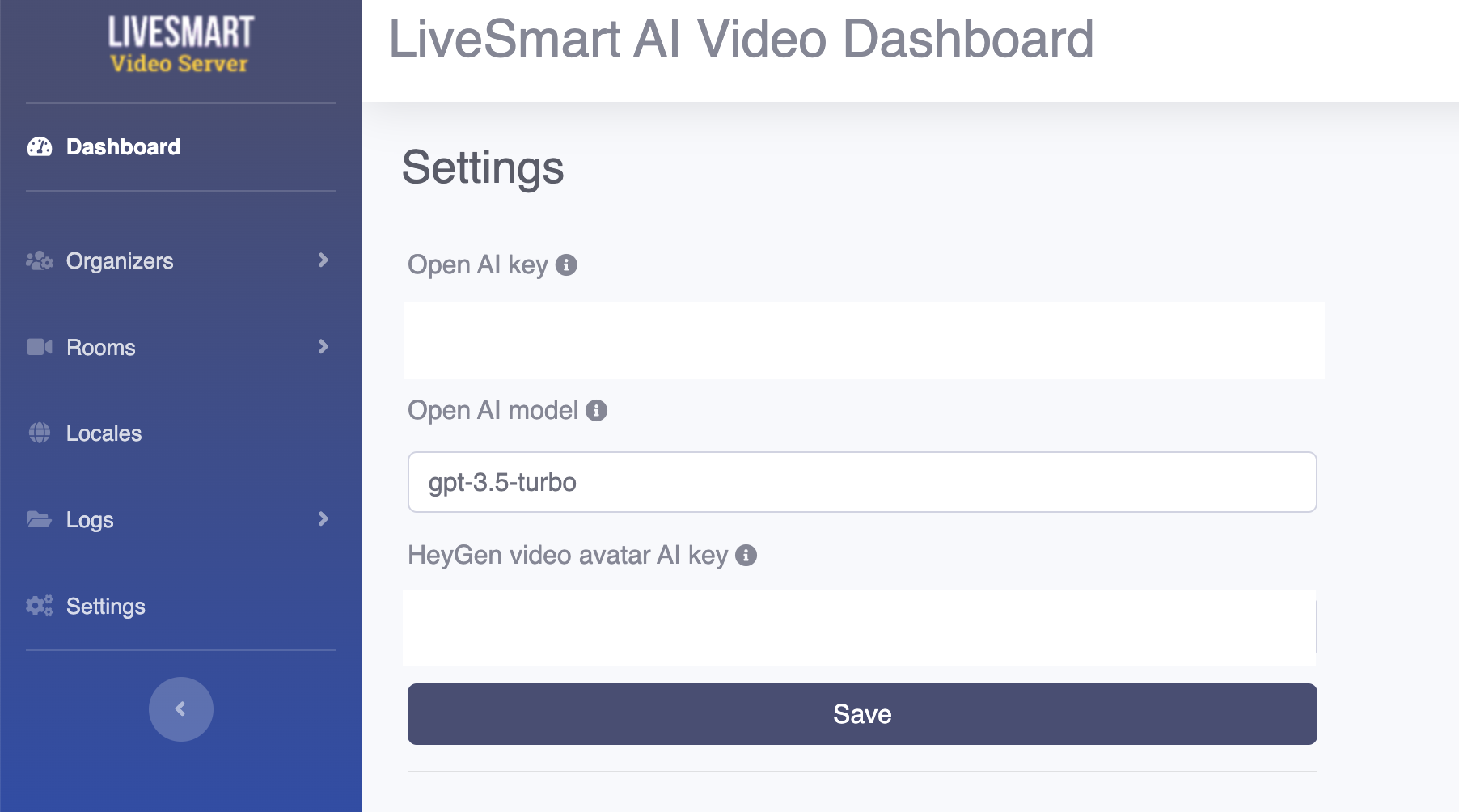
You can change the model from settings. If your account allows you to use it, you can set it from Settings.
Regards
I check the demo and every time I have to click the microphone to talk to the assistant. Is it possible to have continuous conversations?
Hello,
Yes, working on this.
Interesting, can you add GPT4-o for faster processing?
Hello,
Thank you for your interest in LiveSmart!
You can change your model from the settings section. It depends on your API and account of course. Setting section is disabled on the demo for security reason, but upon purchasing the product you will have it.
Regards