14 comments found.
Hi, I realize that the module does not work with container flex boxes….!!!! I don’t use sections…. can you please make it compatible with containers?
The plugin’s CSS part has been coded with “FLEX/GRID layout” already and you may perform custom style changes if that’s what your goal is.
How to dot hat ? Do u have tutorial ?
It’s CSS coding, too many tutorials online, you could search

Really cool plugin but of limited use if we can’t use containers. Would be great as a container itself. I’d buy it if it had that capability without needing customization as others have mentioned.
I understand your concerns and suggestions. I have already started to code something for the purpose but probably it’d be a new item if I like the results after testing. You can follow my account here or join the newsletter for the updates.
https://demo.krasotaiskusstva.com/?id=newsletterIs it available from envato elements?
No.
OK, thanks
It’s available here there’d be few other versions added soon.
Hello,
Please I would love to enquire about your plugin, to know if you have any that can perform the kind of action scroll found in cash.app and also https://artsakhcrisis.info/ where the sections slant on scroll.
Let me know if you have this. Thanks.
You can check the demo website to see the features but for the typo effects, I will be uploading a new item soon.
Hi! After I have installed your plug-in successfully, I get asked the following: “To start using the plugin and to get the auto updates, “On Scroll Section” needs activation. Click here to update the configuration. .”
I click on the link, insert my data but I got two results: 1. the first time I have tried I got a critical error (even though everything from my site worked fine). 2. I have received this error: “Already activate another domain.”
I have tried disabling/enabling the plug-in and also to reinstall it completely but the Error number 2 always shows.
I have only uploaded this plug-in on the d-biotech.com so I really don’t understand why this is happening. Can You please help me out?
Best regards
Claudio
It seems that the registration/activation is completed. Can you please go to Dashboard > Updates and click Check again button? There will be a newer auto update will be waiting for you. Once the plugin is updated to the newest version, you shouldn’t be having any issues.
As today, the version on the plugin should be v.1.0.7
Hi! Thank You for the quick support, but I am still having issues. Which dashboard are You referring to? I see that from Envato I have downloaded v.1.0.6 and I can’t seem to be able to get a newer one. Also, from WP Dashboard I don’t get any notification for updates for this plug-in.
It’s odd that it seems the plugin hasn’t been registered on your website now. If you re-installed the system, this could be the reason.
I have just deregistered the activation for your purchase code. Can you please go to Plugins > On Scroll Section > Settings ( Next to Deactivate plugin ) and enter your purchase code and the details one more time? You shouldn’t be getting an error with “Already activate another domain” and it should be completed.
When it’s completed, check Dashboard > Updates and click Check again button. The new version should come-up ( notification ) that you could get the first update and start using the plugin.
If you still have issues, please, send me the login details through the contact form ( link below ), I don’t mind to check the problem and activate the plugin on your website.
https://codecanyon.net/user/ki-themes#contactIt looks like it worked! Thank You again for the rapid support!
You’re welcome. Let me know if you need anything else.
Hi,
This looks very cool.
Is it possible for me to layout my own HTML Elementor widgets in it though?
I have a special need to highly customize the content to display specific media that requires some JS code on the page, in the HTML widget.
Please advise.
If not possible out of the box, please let me know if I can reach out to you for a customization.
Thanks
In general this is always the case. I am interested in cool galleries with special click events and such…  True for all of your super gallery plugins.
This version doesn’t support the feature as you described currently but if you contact for the details, I will try to help you to solve your problem with a customization service , if necessarily
https://codecanyon.net/user/ki-themes#contactHello,
is it possible to use or combine the scroll plugin with WPBakery?
Thank you !
This version is not for WPBakery, only for Elementor but you can try to use both front-end editor at the same time ( Not sure about the results )
I’m considering to create a new version for Gutenberg and some other front-editor soon but it will be a new item.
hey bro how are ya, i was wondering on how to install and see the widgets of ‘On Scroll Section’ plugin. i have activated it from the plugin page and when i go to the Elementor page editor the ‘On Scroll Section’ is nowhere to find from the widgets list. I only see the other widgets from ’ On-Scroll Layout Galleries’ plugin. Am i missing something here? thanks for your support
It seems your plugins haven’t been registered yet. After 1st of May, it’s required to register the plugins before using it and also the purchase code has to be whitelisted.
If you don’t want any delay, please, share your purchase codes via the link below ( contact form ) I will add those purchase codes to white-list and inform you it’s ready.
codecanyon.net/user/ki-themes/#contact
Then you can just activate/register the plugin and use it again. You can check the item page for details as I have added the notification already since 1st of April.
Hello, what happens is that I have downloaded and installed the plugin and in Elementor I do not see all the widgets that come with the plugin.
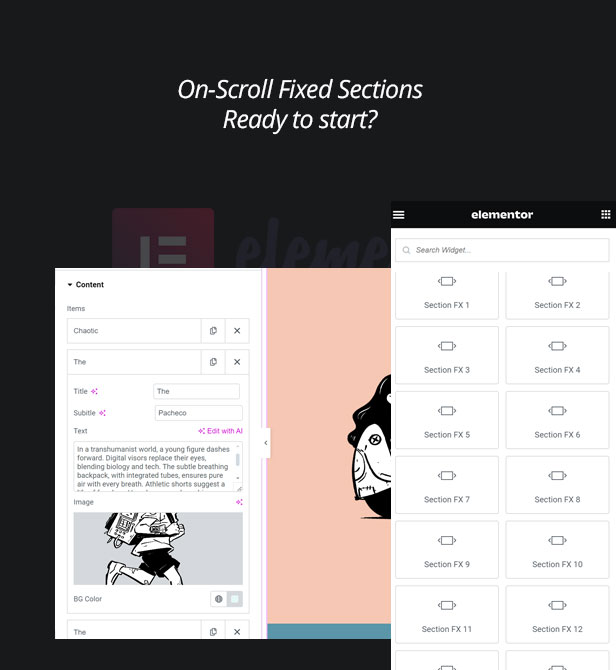
In Elementor I get Section FX1, Section FX2, Section FX3, Section FX4, Section FX5, Section FX6, Section FX7, Section FX8, Section FX9, Section FX10, Section FX11, Section FX12, Section FX13, Section FX14, Section FX15 but no I get split screen, stack screen and the other options…
It’s Section FX9. You can check the names on the website. I’m considering ( working ) on new features as well as with the video support, too. I will consider your request, too and I will update the name of the effects. Thanks for the reporting,
For now, you can just check the website or item description page, for example Split Screen is FX9 :
https://demo.krasotaiskusstva.com/elementor/section-fx-9/Ah ok, perfect, thank you very much!
How should I configure for the transition to work?
Once you add the content, there shouldn’t anything else you need to do. If there’s case that it’s not working, you can contact me via the form, I don’t mind to take a look at the website and check why it’s not working.
https://codecanyon.net/user/ki-themes#contactI have already contacted you there, thank you!
where to add the images??? when into elementor I am adding the mixed gallery then there into content there is no option to add the images.
I’d be happy to help you but I don’t see the “purchased or supported” badge on your account. If you purchased the item recently, please, do contact via the contact form with your purchase code, I would be happy to guide you.
codecanyon.net/user/ki-themes#contact
PS: I have checked the recent purchases, it seems you have purchased “On-Scroll Layout Galleries”. Please, do post the support details at the page below:
https://codecanyon.net/item/onscroll-layout-galleries-for-elementor/47733407/commentsI’d be happy to help you either or the correct item comments section or via email ( directly )
Great plugin. Do you know if this is compatible with Enfold theme?
From the item details of the theme you asked, there’s no compatibility with Elementor. I’m not sure their back-end editor, if you install Elementor, it should work fine.
Hello, I bought this product, how to make Section FX #9 like the demo??
You need to use “FX 9” widget that comes with the plugin. There’s a screenshot of the details at the item page ( below ) you can follow.
I used FX 9, but it didn’t work like the demo, and I couldn’t find the page you mentioned. Please send me the link of the page you want.
impossible to install on wordpress
Decompressing the extension archive…
Installing the theme…
The archive could not be installed. The theme does not have a style.css file.
Theme installation failed.
This is an extension/plug-in and you need to install via “Add Plugin” > “Upload Plugin”. Make sure you also install “Elementor” plugin as well.
For further information, please, refer the documentation that comes with the ZIP ( via Download > ALL FILES ZIP on your account )
Hi does it work with containers?
It could but you’d need modifications. It comes with its own “container”. I just added a screenshot for the “content items” to the item page, you can check it.