222 comments found.
Cannot activate plugin its showing “Plugin could not be activated because it triggered a fatal error” could you please review. Thank you
Hi,
please send wp-admin access to Support and I will install it for you: support [ – a t -] arscode.pro
Regards
Could you please update the plugin
Please make sure that you have Ninja Popups (main plugin) downloaded from CodeCanyon.
Regards

Was going to buy this but it says the app hasn’t been updated since 2017 – why are you selling something so outdated?!?
Hi,
CodeCanyon doesn’t allow to sell outdated plugins. Last version is 4.7.7 (14.09.2022).
Regards
Just purchased your plugin. I’m running the Newspaper Theme by tagDiv, if that matters. I’m on WordPress 6.3, it’s a brand new site with no other customization. I downloaded the latest version of your Ninja Popup Widget through CodeCanyon. Immediately after install, I’m unable to activate your plugin, I get the following error (Ive renamed the domain name for this post):
Fatal error: Uncaught Error: Call to undefined function create_function() in /home/u106741084/domains/mydomain.com/public_html/wp-content/plugins/arscode-ninja-widget/arscode-ninja-widget.php:140 Stack trace: #0 /home/u106741084/domains/mydomain.com/public_html/wp-admin/includes/plugin.php(2318): include_once() #1 /home/u106741084/domains/mydomain.com/public_html/wp-admin/plugins.php(192): plugin_sandbox_scrape() #2 {main} thrown in /home/u106741084/domains/mydomain.com/public_html/wp-content/plugins/arscode-ninja-widget/arscode-ninja-widget.php on line 140
By the way, I also purchased all your other plugins as well, and those installed just fine. Please advise on the fix. Thanks in advance for your time and help.
Hi,
please contact us to support and we will help you: www.support.arscode.pro. Just make sure that you have latest available version of the Ninja Popups plugin.
Regards
As I mentioned, I just downloaded it immediately after making my purchase. Perhaps you folks need to upload your newest version to CodeCanyon? I’ll go to your website and request support. Thanks again.
Hey again, are there any known issues with your support portal? (I’m having problems).
First, I opened a ticket as a guest, but I never got a confirmation email for my ticket being opened.
Then I proceeded to create my account, and I received an email asking me to confirm my email, the link looked like it may have been broken, or at least the REF: part of the email had weird spacing. I tried to confirm my email with that link a dozen times and it loads your support portal but doesnt give me any success message or anything…and every time I try to login again, your site gives me a message that reads, “Account confirmation required”.
I also tried a password reset and thats not working.
Lastly, since I didnt get a confirmation email for the original ticket that I opened, I’m unable to check the status of the ticket as a guest.
(I checked my spam mail as well).
I’ll try to open another ticket now as a guest since I can’t get logged-in…but I’m not confident the process will go any better.
Did you receive my ticket? Can you please manually email me back to confirm?
Thanks once again.
What is your e-mail or ticket number?
Cant publish my email here publicly, for it to live here for eternity.
Did you read everything that I wrote up above? Not sure how many tickets you get per day, but my ticket that I submitted contains the same exact original info that I already provided up above in our chat thread here.
*I opened a ticket as a guest, but I never got a confirmation email for my ticket being opened.
I think your ticketing/support system is broken on your website…I cannot create an account or login….Ive tried submitting the ticket as a guest twice now, and no email confirmation or ticket number sent to me.
When you open tickets with your support software on your website, it really should provide the customer with the ticket number immediately upon submission, displayed on your web portal, because email delivery upon ticket submission seems to be broken on your site, or Google Mail is dropping your emails.
Read everything I wrote here, please.
I found your email. I’ll be emailing you directly since your ticketing system is broken. support@arscode.pro
Ticket system works fine – your are on the line.
Fatal error: Uncaught Error: Call to undefined function create_function() in /var/www/html/wp-content/plugins/arscode-ninja-widget/arscode-ninja-widget.php:140 Stack trace: #0 /var/www/html/wp-admin/includes/plugin.php(2314): include_once() #1 /var/www/html/wp-admin/plugins.php(192): plugin_sandbox_scrape() #2 {main} thrown in /var/www/html/wp-content/plugins/arscode-ninja-widget/arscode-ninja-widget.php on line 140
Hi,
looks like you have old version of the widget. Please download latest one and for more assistance contact us to Support www.support.arscode.pro
Regards
Fatal error: Uncaught Error: Call to undefined function create_function() in /home/pxicqxvz/ecisrl.it/wp-content/plugins/arscode-ninja-widget/arscode-ninja-widget.php:140 Stack trace: #0 /home/pxicqxvz/ecisrl.it/wp-admin/includes/plugin.php(2313): include_once() #1 /home/pxicqxvz/ecisrl.it/wp-admin/plugins.php(192): plugin_sandbox_scrape() #2 {main} thrown in /home/pxicqxvz/ecisrl.it/wp-content/plugins/arscode-ninja-widget/arscode-ninja-widget.php on line 140
how can the problem be solved?
Hi,
please make sure taht you have latest available version of the Ninja Popups. Also you can contact us to Support: www.support.arscode.pro
Regards
I have already updated the plugin to Version 4.7.6
Please contact us to Support: www.support.arscode.pro
Hi, I put the Ninja Widget Extra Add-on with the shortcode [ninja-inline id=12421] in the user’s Dashboard HTML editor but the iframe doesn’t show up as configured with 800×600 px and it overwrites all the rest of the page content: main menu left side and footer disappear. Please see my email skethink@gmail.com
Thank you, Luis
Hi Luis,
could you send me URL and more details to Support: www.support.arscode.pro
Regards
Hi, I’ve already emailed you the accesses to support@arscode.pro
Thank you
OKey – got it. Ticket #228268
Regards
Hello, i cant’t access my ticket #228268 because your link doesn’t work:
What this is link?
Thank you, Luis Carlos
www.support.arscode.pro you will get info when support will reply.
Hello. i try to put a topbar on my blog with addon or shortcode and the topbar are not responsive. When i check other comment with word responsive, i see message from 2 years ago about this subject. You have a solution for making responsive your topbar with add on ?
Hi,
Please send us URL to Support and we will take a look: www.support.arscode.pro
Regards
Hi, this plugin works also today with the latest versione of ninja popup plugin?
Hi,
yes, it does. This is “add-on” to Ninja Popups.
Regards
i have this error : ” Deprecated: Function create_function() is deprecated in /home/namaqkyf/public_html/wp-content/plugins/arscode-ninja-widget/arscode-ninja-widget.php on line 140” . I have wordpres 5.4.1 and woocommerce 4.1.1. Thanks
Hi,
please contact us to Support: www.support.arscode.pro
Regards
i send a ticket but im no registered . How can I see when you answer me?
What’s your e-mail?
Very sorry – I cant see any ibnfo form this ermail – please try: support[ – a t – ]arscode.pro
Can I use the Popup in the footer?
Hi,
Yes, you can embed it inline.
Regards
Hi, I want to show popup on 2nd click.. ie when a visitors clicks and open another page of the blog..is it possible?
Hi,
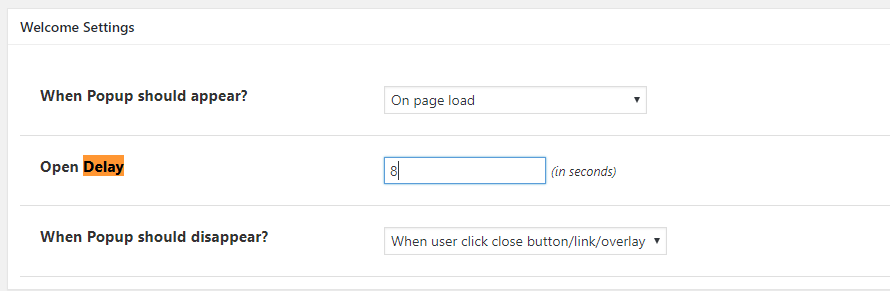
there is no feature like this but I like your idea and I will add it to our TO DO list. BTW: you will achieve similar effect using “open-delay” option: http://arscode.pro/screens/2020-02-18_172912.pngRegards
Hi, the add-ons can work with sendinblue? I need a droplist to choose the countries and check for accept privacy policy. I tried more plugins and no one can do this with sendinblue inteegration
Hi,
yes, it works with SendinBlue and you can make dropdown list to select the country: http://arscode.pro/screens/2020-02-05_115955.png I suggest you to make it in Ninja Popups for Wordpress: https://codecanyon.net/item/ninja-popups-for-wordpress/3476479Regards
Hi there,
I add [ninja-popup ID=XX] in my page and then call it (via #ninja-popup-XX) in a link in my widget and it works, but when I use the XX ID related to a A/B testing and then click on the link to see the random popup I receive “The requested content cannot be loaded.Please try again later. “
Could you please advise me I miss something here? as it works for a normal popup very well.
Thank you.
Hi,
please contact us to Support www.support.arscode.pro
Regards
Hi, will this work on wordpress 5.0 version?
Hi,
yes, it does.
Regards
This is a really useful plugin but it needs to be updated. With debug turned on the following errors are displayed:
Deprecated: Non-static method Arscode_Widget_After_Content::insert_after_content() should not be called statically in /public_html/wp-includes/class-wp-hook.php on line 286
Deprecated: Non-static method Arscode_Widget_After_Content::getAfterContent() should not be called statically in /public_html/wp-content/plugins/arscode-ninja-widget/include/module/widget-after-content.php on line 36
Looks like you have very old version of this addon. Please contact us to Support and we will help you.
I’m using the latest version – from the download link at the top right of this page.
Please contact us to Support: www.support.arscode.pro
OK
I’m definitely using the current version – debug reveals the errors.
If you have already contact to Support – please follow your ticket. Also I suggest to renew the Support.
Regards
I did. No response. Can’t you just update the download link?
Thank you for your patience – looks like you are in the line.
Hi,
I’ve got a question. I am using Your other POPUP PLUGIN and using the integration with Mailing List Manager called SALESMANAGO (https://www.salesmanago.com/). It is working fine.
My question: is this product – Ninja Widget Extra Add-on offering as well the integration with SalesManago?
HI,
Yes – it is “add on” to Ninja Popups. You can embed popup inline (inside the content).
Regards
THANK You!
it’s working perfectly 
Nice job, keep updating the plugins. It is very good product.
Thank you. Soon new popus in the library.
Regards
Hi there, I’d have 3 pre-purchase questions
1) How is the location of the form selected? Is there a side-wide setting for each form? So like “show below the 3rd paragraph”?
2) Is it possible to set a different form based on the post category?
3) Are there multi-step forms? E.g. for surveys?
Thanks a lot Peter
Hi Peter,
Ad1) Do you mean position of the form ?
Ad2) Yes, you can set different popup for each Post/Page/Category/Product and via taxomomie
Ad3) Yes, you can set many step like for surveys.
Regards
After installing the addon the css of my site has gone wakko. It took hours to figure it out and fix it
Hi,
Please send us Url to Support and we will take a look
Regards
Is it possible to show a different pop-up based on location? I’ve installed the GeoIP Detection plugin and created two pop-ups based on specific locations, but am not sure how to make this work properly. Seems like I can only select one global pop-up and beyond that I can set on a per page/post base. I would need to have both pop-ups active globally and display according to the detected location.
Hi,
yes, it is – please contact us to Support and we will help you: http://support.arscode.pro/Regards