132 comments found.

Hi qq402717704,
Thank you for letting us to know your problem.
In your case, please create a topic on our support forum: https://villatheme.com/supports/forum/plugins/sales-countdown-timer/ and we will help you to check that.
Best regards,
Hi, pre-sale question. Can i add an countdown when i want to launch or start to sale product. So, the product must to show “add to cart” only when the countdown come to zero. Can i? Thanks
Hi coroleu,
Sorry for late reply at weekend,
The feature you want is not available now.
Best regards,
Presale:i use porto and porto got his own sale template on products, overwirte your plugin the function of porto or do i have then 2 sale countdowns?
Hi ninanina,
Thank you for your concern.
Are you using the Porto Theme and do you want to make our plugin compatible with porto Theme? Please contact us via Support@villatheme.com about the feature you want and we will help you to check it?
Best regards,
Thx, im using porto theme, but porto has own countdown sale,,i wanna know, what if, if i use your plugin for sales countdown? do i have than 2 countdown, from yours and porto or iverwrite your plugin the countdwotn from porto>?
Hi,
Thank you for your explaination.
In that case, you will have two sales countdown timers, if you want to use our plugin, you can disable sale countdown timers of Porto Theme.
Best regards,
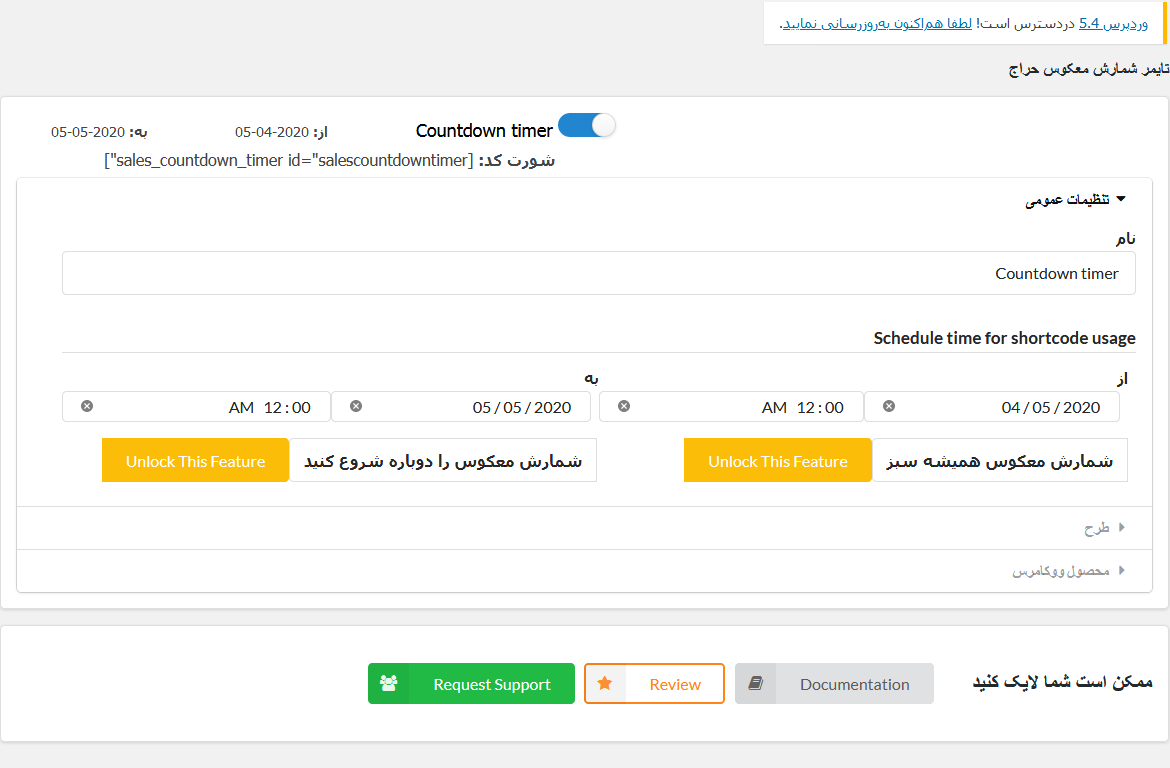
Hello, I was wondering if there’s an option to restart the timer on page refresh or restart the timer after it’s finished? Thanks!
Hi eruperu,
Yes, Our plugin has option for restart sale countdown timer on page, call Countdown evergreen options. You can read at https://docs.villatheme.com/sales-countdown-timer/#configuration_menu_3021
Best regards,
Q 01: That means if I purchase this plugins I don’t need to purchase another addons or plugins for getting the countdown service. Q 01: is there any popup and sales notification option? Thanks
Hi,
Thank you for your interest.
1. You needn’t to purchase any addons to get our countdown timer to work.
2. These options are unavailable in the plugin. We will consider these features in the future.
Best regards.
Hi,
For the 2nd question, can you clarify where and how the timer will appear on the popup and sale notification? It would be better if please give us a sample and screenshot.
Best regards.
Hello, it could be integrated with https://codecanyon.net/item/product-slider-for-woocommerce-woo-extension-to-showcase-products/22645023
Thanks for your reply
Hi,
Thank you for your suggestion.
We will think about integrating this plugin in the future if many more customers require to use it in our plugin.
Best regards.
hi sir/madam, what different between free version and pro version ?
Hi,
Thank you for your interest in our plugin.
Here is the compassion of the free and premium version of the plugin, if you need any information, don’t hesitate to let us know. Thanks.
https://docs.google.com/document/d/1_36J5sxuauCXzsr3ZXWkIsN5kfYT0XHgoJWmAClP284/edit?usp=sharingBest regards.
Hi, countdown work per user?
Hi,
Thank you for your interest.
Currently, this feature is unavailable in the plugin now.
Best regards.
Does the price automatically return to the original when the countdown end?
Hi,
Yes, there is an option for you to set after achieving the goal, the price will be automatically back to the regular price.
Best regards.
Compatible with any themes?
Hi,
We are sorry for not saying it for sure. It mainly depends on your theme, whether the hook is available in your theme for our plugin to add codes.
Best regards.
If there is a problem, can you help me?
Hi,
Yes, we will support within our ability to run the plugin well with this plugin officially released features. But some possible conflicts sometimes just can be solved by your theme’s author or some custom work for feature requests or make compatible if possible.
Best regards.
I use BE THEME
Hi,
We think you should try with our free version first to experience https://wordpress.org/plugins/sales-countdown-timer/ If you need further support, don’t hesitate to let us know.
Best regards.
Hi, support for woocommerce multivendors?
Hi WebHotOver,
I am not sure what you mean, can you clarify it?
Best regards.
Hello, how does your plugin recognize the same customer (for evergreen campaigns)? Just cookies or even an IP address? Thank you
Hi matouskoukola
Which timer are you mentioning? the countdown timer for products or the checkout countdown timer? If for products: countdown timer settings apply for all customers. For the checkout countdown timer will be based WC_Session.
Best regards.
I read in the changelog /**1.0.1 – 2020.03.12 / that you support countdown evergreen. This should mean that a specific end is not set, but is set for each user, for example 4 hodiny until end. If so, I’m wondering if, for example, a person who has started a countdown on a PC will continue countdown on a mobile phone within one wifi network (IP adress).
Hi,
You may misunderstand the evergreen option of our plugin. This option helps to repeat timer a specific schedule after the initial schedule had set before ends up and this option applies for countdown timer on the product. Your description is the checkout countdown timer feature on our plugin. you can read about this feature here: https://docs.villatheme.com/sales-countdown-timer/#set_up_child_menu_3902
Best regards.
Hi, one question about the plugin before to paid for it, i would create a countdown but not only for sale, for exemple “between 0AM To 3 PM a timer for say delivery of the product today” and to 3PM to 0AM nothing and this eveyday for a specific category. Regards
Hi ruseau
Thank you for let us know your concern. Unfortunately, this feature is unavailable in this plugin now.
Best regards.
is the countdown is ended, its possible that it start new again and again automatically?
Hi Hue2839,
Yes, it can set restarting countdown timer. This option is for the premium version only. You can upgrade to the pro version to experience this option.
Best regards.
I just paid but still can’t find where to download the desire plugin
Hi mcnelly24,
Thank you for contacting VillaTheme. You can read this guide to find your purchased code on Envato. https://help.market.envato.com/hc/en-us/articles/202822600-Where-Is-My-Purchase-Code-
Best regards.
The plugin settings button does not work and does not save the settings!
Could you give your screenshot of your setting page?
Can i use progress bar without woocommerce? If so, how can i update stock information (stock left/ stock sold)? thanks
Hi paulolpd,
Unfortunately, this option is now unavailable, we will consider this for the future updates.
Thank you.
Excellent plugin! It would be very important to countdown work per user. Please considering launching this in next version
Hi paulolpd
Thanks for your suggestion, we have marked it to update in the next versions, please kindly wait.
Best regards.
persale question: does this timer work per user and per product? for instance I have a product and I set it of 7 days countdown on the product. but the timer only starts for that customer when they visit the page?
Hi rwazeralie,
Unfortunately, this option is unavailable now.
Best regards.
Thank you for your suggestion. We will consider update next version.
Hello. How are you? I need a custom count format to insert on my website.
1- Model: I need to create 1 counting template for all customers. All models look like this: “00.0000000000” See the exact example of what I need: https://youtu.be/ks48f2IEo6o2- Speed and Control I need to have control over the counting speed of all clients, have control over the counting speed of groups of clients
and have control over the counting speed of each client individually.
A- For example in all customers: Increase or decrease the total counting speed by 10%.
B- For example in customer groups: Increase or decrease the counting speed of the “Y” group of customers by 3%.
C- For example for each individual customer: Increase or decrease the speed of the client “X” by 8%.
You got it?
3- Start and End Date. I need to set the end date for the count. For example: On December 1, the count should be “10.0000000000”
4- Include or Remove numbers in the count. For example, if I need to increase a customer’s count from 00.0000500000 to 00.0001000000 I can do that. But only I, as an administrator, can have this control.
Hi,
Thank you for contacting us.
This custom work is completely new with our plugin, and we don’t intend to do this work.
Best regards.
Presale question: I need a countdown everyday from X hour to X hour and when countdown ends. My question is, what happens next day? plugin restart itself or requires a manual configuration to schedule everyday. Thanks!
Hi,
Thank your for contacting us.
This option will be updated in the next versions, please kindly wait.
Best regards.