541 comments found.

Hi, i need to copy variations of one product to others, i can do that with this plugin or this plugin have something to help to add the same variations to alot of products?
Hello
unfortunately the plugin does not have such a feature
Hi, i can add the same variations to more products at once?
Hello Yes! Please watch a video – https://bulk-editor.com/video-tutorials#video_2506
Hi,
I have to add 2 lifestyle images to all the product in a specific product category. Can I bulk add the images to all 70 product in 1 go using your plugin?
Hello
I think yes! Please watch a video – https://bulk-editor.com/video-tutorials#video_2502
2 lifestyle images – do you mean – add images to Gallery
i sell movie posters in 4 sizes and i have to change the weight of all products, there are 4 weights according to their size, is it possible to change the weight per size for all products all at once ?
Hello
Yes. Please watch a video – https://bulk-editor.com/video-tutorials#video_2502
Try free version – https://wordpress.org/plugins/woo-bulk-editor/
is it possible to change the weight of all products in the different sizes with the free plugin ? otherwise, i wanted to buy the plugin and ask you if you can do it for me because i’m afraid to make a mistake, also i’m french speaking and i have difficulties to understand the video
Hello
is it possible to change the weight of all products – Yes
ask you if you can do it for me – Unfortunately, setting up and editing data is not included in the support.
Hi,
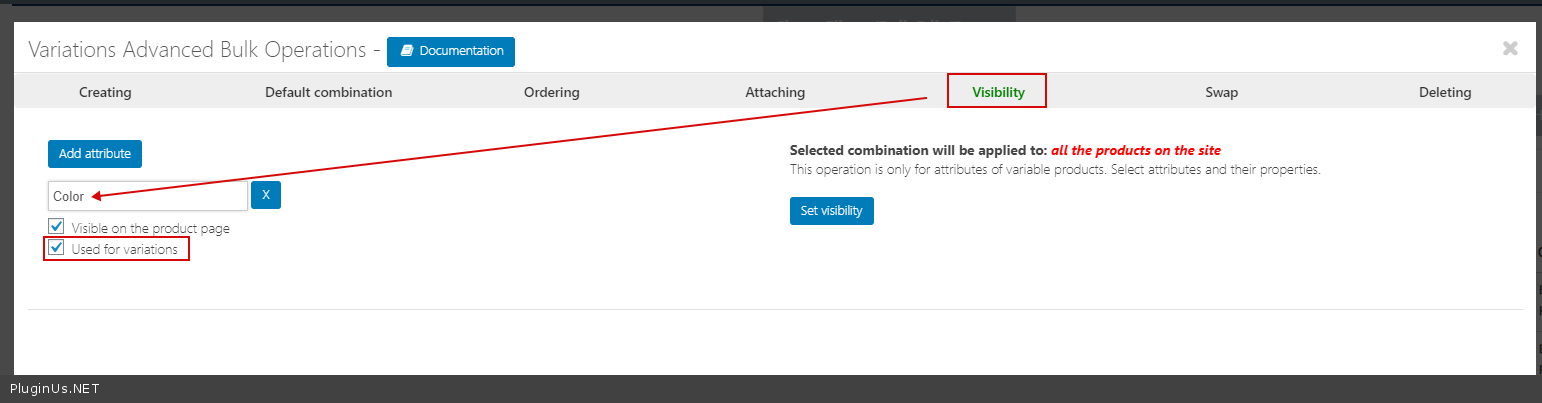
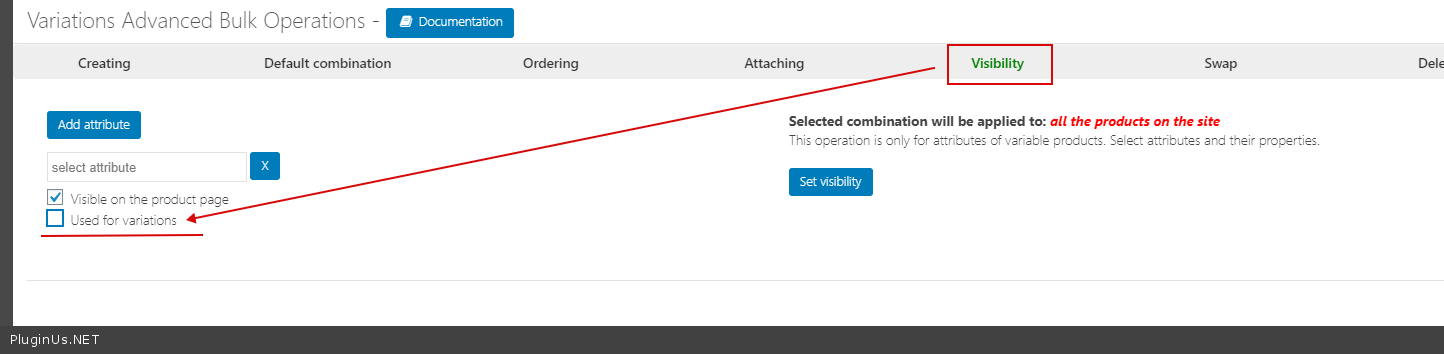
I added an attribute via bulk edit and it was added successfully. But for variable product, the attribute is showing up as a variation which I do not want and I am not able to find the settings to disable used for variation in bulk edit.
Hello
Please watch a video – https://bulk-editor.com/video-tutorials#video_2506
Option – https://c2n.me/47NiRtK.png
Hi,
I have one pre purchase question
I want to bulk add attributes to a no of products
for eg I have made an attribute called ‘By use’ and the value would be ‘weapon, camera, tool’ and then i need to add the attribute value to 100 cases, is this possible via this plugin. and How
Hello
to a no of products - What do you mean?Please watch a video – https://bulk-editor.com/video-tutorials#video_2502
Try a free version – https://wordpress.org/plugins/woo-bulk-editor/
Good day, tell me if it is possible in the pro version:
1. Change the main category of the product (if the product is in several categories)
2. Replace the group of goods only a specific fragment in the name of the goods.
Hello
You can do it in the free version.
Please watch these videos – https://bulk-editor.com/video-tutorials#video_1291 AND https://bulk-editor.com/video-tutorials#video_2502
How about Order Date? Can I edit in Bulk?
Hello
This plugin is for editing products. Unfortunately this plugin cannot edit orders.
Hi, i want to add attributes to a variable product, it works but he add those attributes as variations.i need those attributes ti be just added without being in the variation
Hello
Please watch a video – https://bulk-editor.com/video-tutorials#video_2506
Change visibility of these attributes- https://c2n.me/47GoOd0.png
so far, loving this plugin!!! but, please…. improve the ENGLISH in the documentation!!! ...
Hello
Thank you for your feedback, after updates we will look for good interpreter
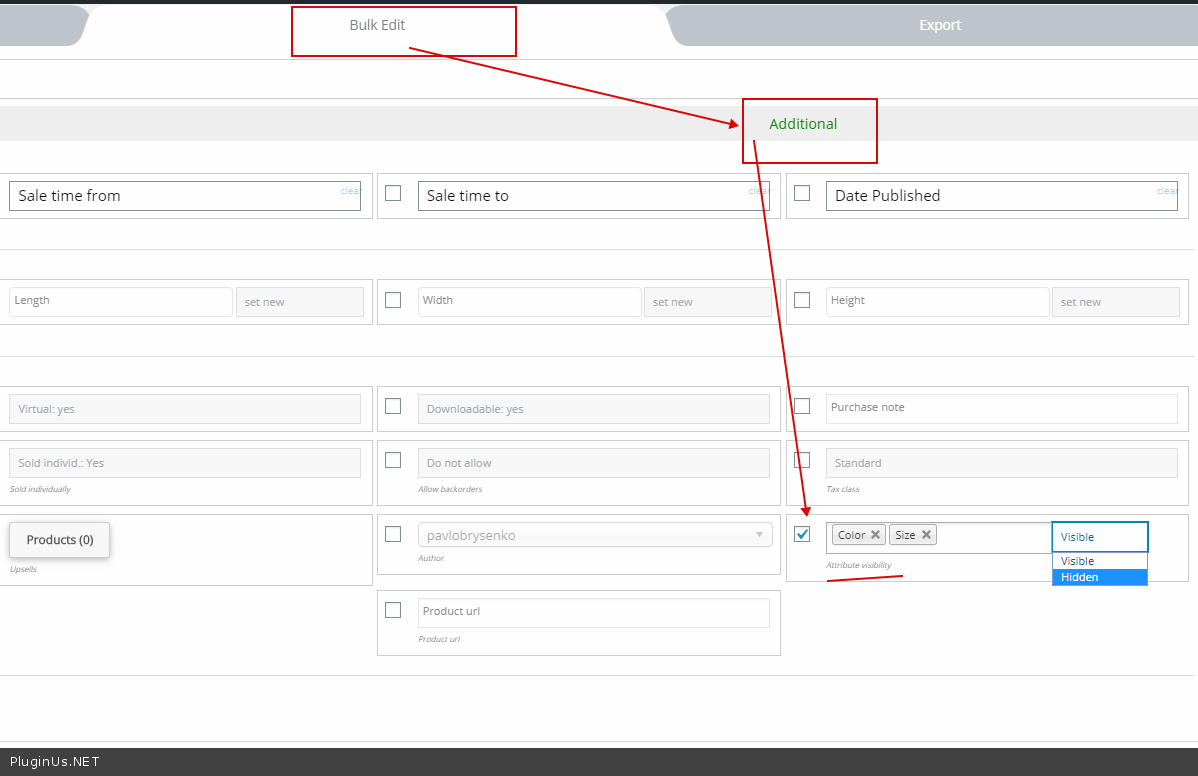
I want binded editing bulk unchecked on product attributes “Visible on the product page”. Basically I want no attributes to show up on single product pages.Any idea what meta value that will be for “Visible on the product page”?
Hello
Try to use this option – https://c2n.me/47zpGfK.png
I’m very happy with my purchased, I have purchased thousands of products here on envato, and I must admit this is one of my top 10 purchase of all time.
Thank you 
Hello, I would like to purchase WOOBE Professional however this bug is an issue for us (https://pluginus.net/support/topic/price-change-forbidden-for-shopmanager/). Do you know if/when it will be patched?
Hello
This article describes how to fix this. In any case, for editing products, the user must have the capability – manage_options
Thanks for the fast response! That bodes well! I don’t want to give the shop manager role the manage_options capability. So I followed the article and added ‘return TRUE;’ to line 1239 of \wp-content\plugins\woocommerce-bulk-editor\classes\models\products.php and problem ‘solved’. But this isn’t a solution, as pointed out here (https://pluginus.net/support/topic/shop-manager-forbidden-error/), for the long term with the next plugin update. Hence my inquiry… Just wondering if that’ll be included in the next round of code, and I’ll wait to purchase until then. Thanks again!
Hello
Unfortunately no. fields can only be edited by a user with the manage_options capability
Hello
Task created about wrapping in hook the role functionality what will add more flexibility for users roles possibilities for editing. Thank you for cooperation!
Great! Thanks! Then I will be purchasing!
Hello
Ok! welcome;)
Hi, How do you replace the contents of the short description field with the desription field contents and leave the desrciption field empty please?
Hello
Unfortunately, the plugin does not have such a feature
Hi, pre-sale question, I need to import several products from a spreadsheet, the column from spreadsheet should be configured in a specific way to be imported with your plugin? For example I neet to import the attribute “Color” and I have several type of colours in that column. Thanks for your response.
Hello This plugin uses standard woo export functionality. Therefore, the columns must be configured as for standard export of products/fields
Hi,
We raised a support ticket and received an email from Pablo Borysenco asking what version of the plugin we’re using. It’s the version we bought a few days ago.
We unfortunately cant reply in your support forum as I think you’re having issues with your pluginus.net website as it’s very very slow. Page loading times several minutes and mostly unresponsive..We basically gave up trying.
My username on your ticket system is tomo555.
I suggest that you reply through this forum rather than your support portal which does seem to be experiencing some difficulties.
Thanks.
Hello
The support forum works great. You are the only one who writes about this problem.
I answered you on the forum
Seriously? your forum is terrible.It is identified as high risk website by Symantic 365 which is the only site we have come accross in a year and now knowing that we jhave an issue with your support portal you direct us back into it. Really, not the smartest solution is it?
And I’m sorry we are not going to give you FTP access to a client website because we don’t have it. We only use SSH. We have explained clearly what the problem is, if you don’t understand the issue as we described it then you need to put someone a bit more experienced in who can. Your support started off ok, now it has gone down hill very fast. What a shame..
Hello
I think your verification system is wrong:
https://www.virustotal.com/gui/url/12d1b955c33ca2939214faf78182b671c78240ab3490a434edf8530eecfde983/detectionThe forum works great. You are the only one who writes with this problem, although we have more than 200,000 users
In any case, you need to contact the support worker and exchange private information with him. the forum is best suited for this.
We have explained clearly what the problem is – You described the problem is not enough.Because there is a high probability that you incorrectly configured the plugin or misunderstood the documentation. And I need to check it . If you can’t provide any access, make a video where you show how you get this error(this may give at least some direction for research). Your site may also have plugins that conflict with the WOOBE editor. there can be very many reasons that simply cannot be reproduced and understood in a few lines of text.
Unfortunately, if you do not cooperate with support, I can’t help you.
Cooperate with support? It would help if we could get some!
Bad support, bad attitude, bad manners.
Good bye.
When are you planning the next update with this new feature? https://bulk-editor.com/forum/topic/filter-only-parent-category/#postid-159
Hello
This spring, after MDTF
If you have troubles: create request here please https://pluginus.net/support/forum/woobe-woocommerce-bulk-editor-professional/ – maybe its already resolved OR created as new
I think your suggestion is done, please ask it on support
Hello
We do not in time this month, if you had asked for a new functions ask it through support please, maybe it is ready already
Hi,
Is it possible to resize columns so that we can view cell contents better?
Thanks.
Hello
unfortunately the plugin does not have such a feature
You need CSS customization
This is something you should address in the future because it is very hard to see the content of some of the columns when it is all crammed in one little cell.
Also some of the input fields don’t resize when entering multiple entries meaning you can’t see what you did earlier. For example if you are entering multiple colour variations. I would have thought this would be a standard feature, even elementary?
Hello
Please drop me screenshots
Sure. Now that I can get into the support portal I will do this. Thanks for your good support.
Hello
Ok! Great
Hi,
Sorry for another comment but we’re investing a lot of time on your plugin at the moment so want to use it properly. This question is about your Variations Advanced Bulk Operations > Attaching.
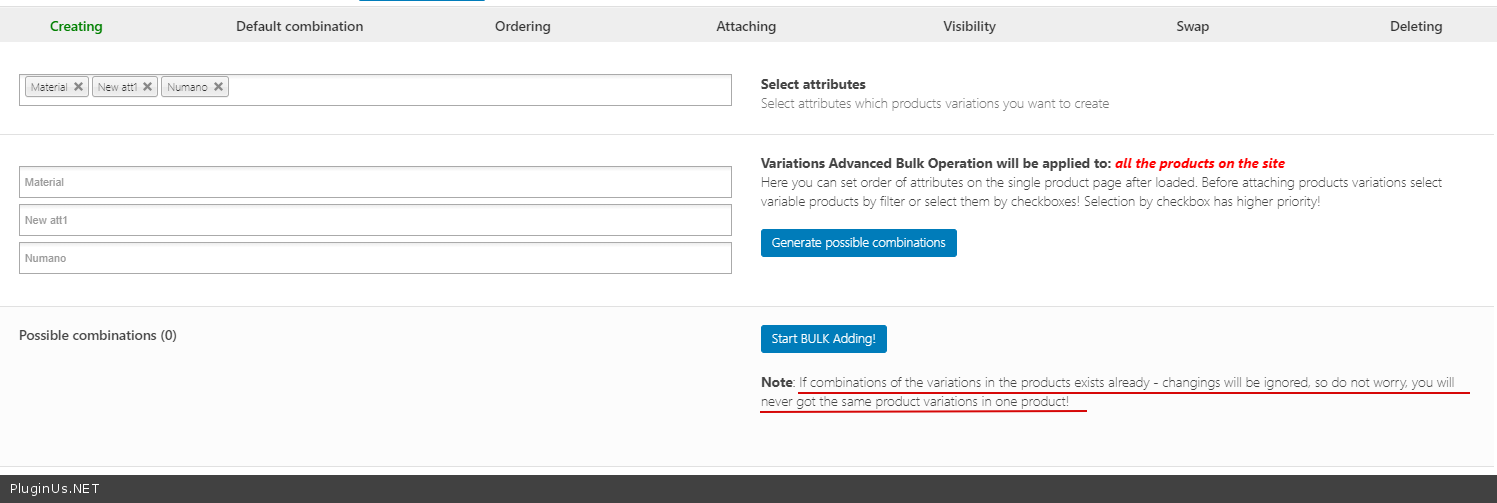
In this scenario we have a new size available for our product so we want to add the size attribute to our existing variations – so two sizes will be available now for all variations instead of 1 size which wasn’t a variation variable attribute before i.e.we didn’t use the size attribute before.
So using your Attaching fuction we can add the attribute SIZE and we can select an attribute size i.e. small or medium. That’s fine. But here’s the problem, by virtue that we’ve doubled the options for the size combinations your attaching method doesn’t allow us to use the size attribute for all possible combinations because it hasn’t increased the number of variations in line with the aadditional attribute combinations.
Should’nt there be a function to add variations for the added attributes as well because the likelihood of adding an attribute will increase the number of variations as well? It’’s rare that adding an attribute to a variable product will result in the variations count staying the same.
Have I missed something? Please let me know wheat the correct method is?
Thanks for your patience..
Hello
Please use creating – https://c2n.me/47f8FIX.png
Great, thanks for sharing.
Hello
Welcome;)
Hi,
Sorry to raise a bug here but as I mentioned above your support registration page is not working.
Here is a bug I’ve found. I created 4 attributes in the Variations Advanced Bulk Operations. See screenshot:
https://prnt.sc/s5zpowThen in the normal WOOBE – WooCommerce Bulk Editor Professional v.2.0.5.1 grid only 3 attributes are shown:
https://prnt.sc/s5zq6uThis is also confirmed on the product page:
https://prnt.sc/s5zqleI’m wondering if there is a potential issue with my particular setup as this issue and my earlier repoted one seem like there is a disconnect between the database and your plugin????
In the absense of your support portal working please feel free to email me : info [at] beyondbespoke [dot] nz
Thanks for your support.
Ok, I found out that we have to change the visability of the attribute first otherwise this will not work. Interesting way to approach this I guess
The support portal issue still remains.
Thanks.
hello
The support portal issue still remains. – Very strange, since you can notice a lot of users use this forum
Are those users logging in with facebook or google? We want to register with an email and password. This feature does not work. Please address this bug.
Hi, We found that the reason the site wasn’t registering was because our internet security deemed the support portal unsafe. Even if we proceeded with the warning it would still block us. Your support portal obviously has some behaviour that Norton 365 doesn’t like.
https://prnt.sc/s72a6wWe turned all our internet security off and then was able to register. Maybe you want to have a look at your support site.
Ok!
Hi,
Trying to raise a support ticket but your classic registration doesn’t work on your website. We do not want to use the social registration method – we are very unsocial
We tried with email and password and username and password.
Our issue is your plugin doesn’t seem to pickup all the database fields relating to the woocommerce product information. As you suggested in an earlier comment for us to use the https://wordpress.org/plugins/woo-product-attachment/ plugin to add attachments to the product, yet this is not available in your bulk editor as a field that we can edit or add to.
This is one of our products that has an attachment associated with it: https://projectlighting.nz/lighting/loops-wall-single/
Thanks for your help.
Hello
I answered you in the earlier comment.
To register on the forum – https://pluginus.net/site-entrance/?action=register
Are those users logging in with facebook or google? We want to register with an email and password. This feature does not work. Please address this bug.
OK!

This item was featured on CodeCanyon

Power Elite Author
Contact the Envato Market Help Team