540 comments found.

Hi
I was trying the free version of your plugin. I like it.
However I notice, on Sale Price, when I remove sale prices by bulk operation I end up with Sale Price ‘0.00’ on all my products on the front end. And Sale Price 0.00 appears on the products in the back end.
I was using these instructions: https://bulk-editor.com/howto/how-to-remove-sale-prices-by-bulk-operation/This happens on Simple products and variations.
Any info would be much appreciated.
Regards.
Hello
Ok! Please write on support – https://codecanyon.net/item/woobe-woocommerce-bulk-editor-professional/21779835/support
Paste your message
Hello, I have loaded the trial version. Can the stock # field stop rounding the numbers? I have stock in yards so I may have 2.75 yards left. The bulk editor rounds those stock numbers. Can this be changed?
Hello
Unfortunately not. Woocommerce in this field uses only integers
hi
sent support request 2 days ago but not reply yet.
Hello, support doesn work on saturdays and sundays. Answer was sent 5 hours ago https://clip2net.com/s/41wunja , check your spam box please
Hi,
I bought this plug-in but now I have encountered an error: when I want to enter a discount on a variation,I enter the value in sales price but the result is wrong. In my example, the product has a value of 4,700 (four thousands…) and after applying a discount it simply appears 4. I use “no rounding”. Thanks.
Hello
Please update plugin to latest version – https://bulk-editor.com/howto/how-to-make-auto-update-for-wordpress-plugins-and-themes-bought-on-envato/
Do test. If no luck – write me on support – https://codecanyon.net/item/woobe-woocommerce-bulk-editor-professional/21779835/support
Paste your message + wp-admin access
i got it
Hello
Great!
Hey Guys,
You re G-RE-AT
Thanks for history updates, thats awesome for me!
Hello
Welcome;)
Hi,
Could your plugin edit price of any products (variation) without open the products one by one?
I already checked your free plugin and it only working when the product type is simple not variation
Hello
To change price in variations:
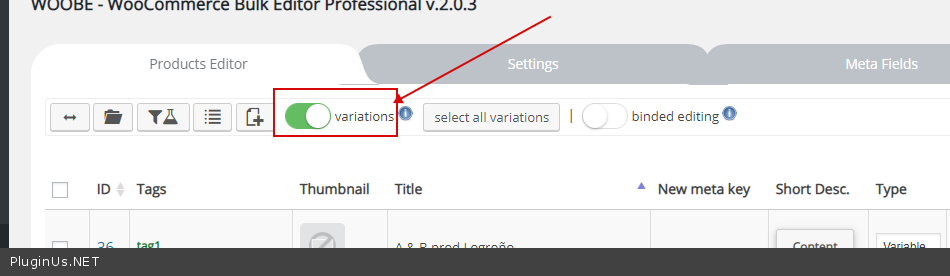
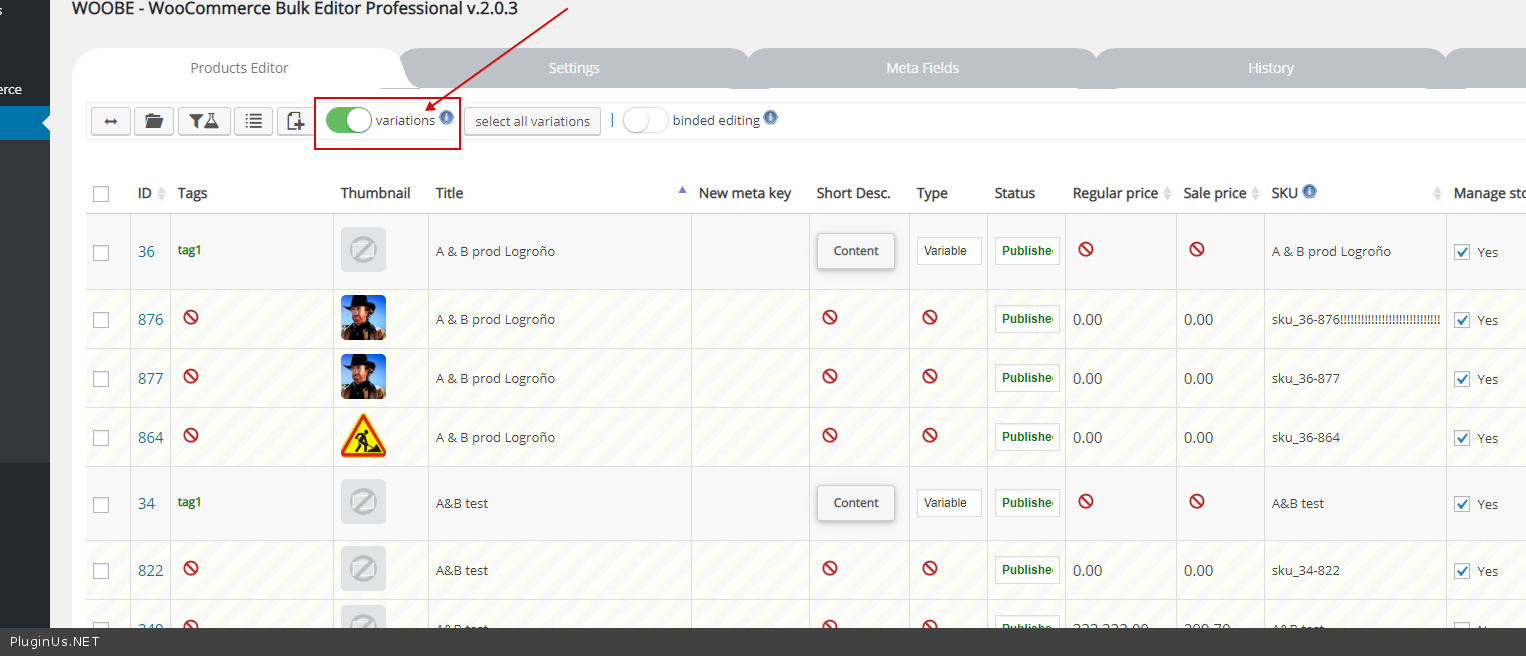
1) Check option – https://c2n.me/41rVTb0.png
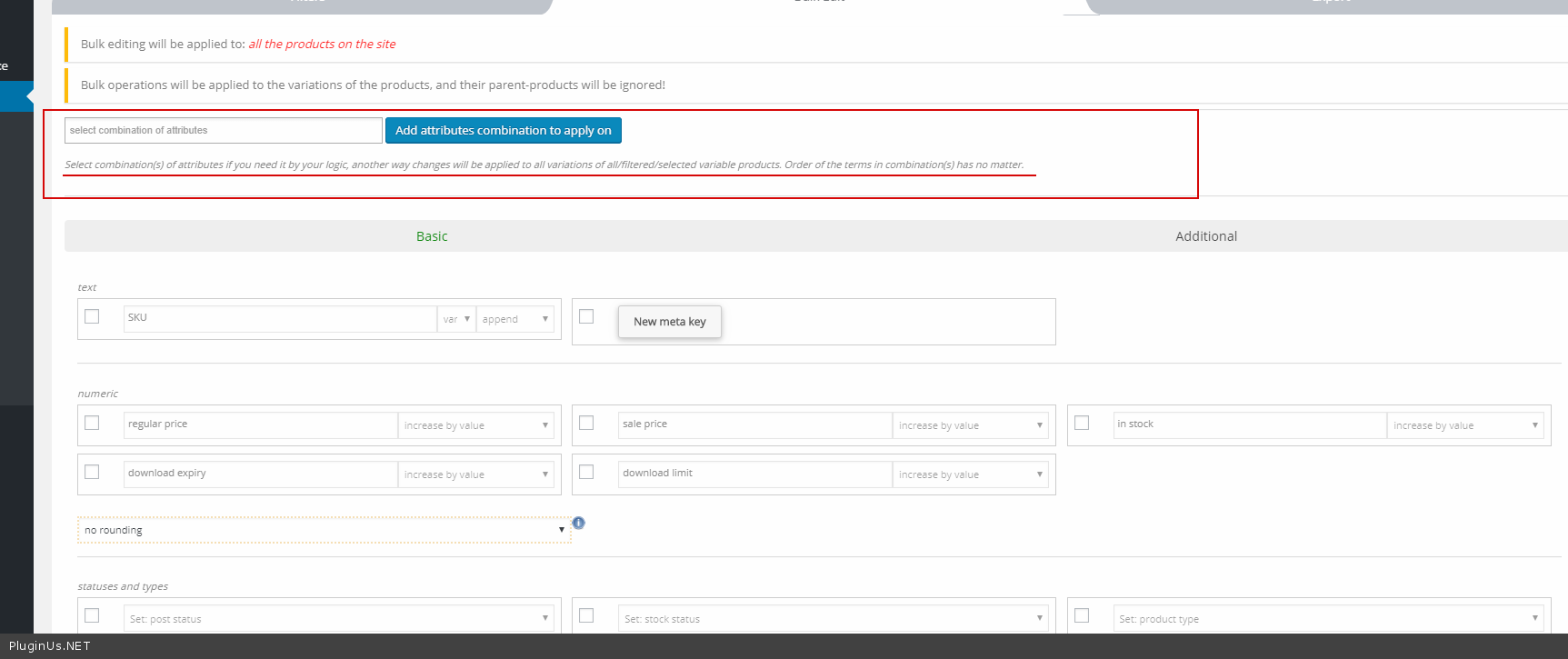
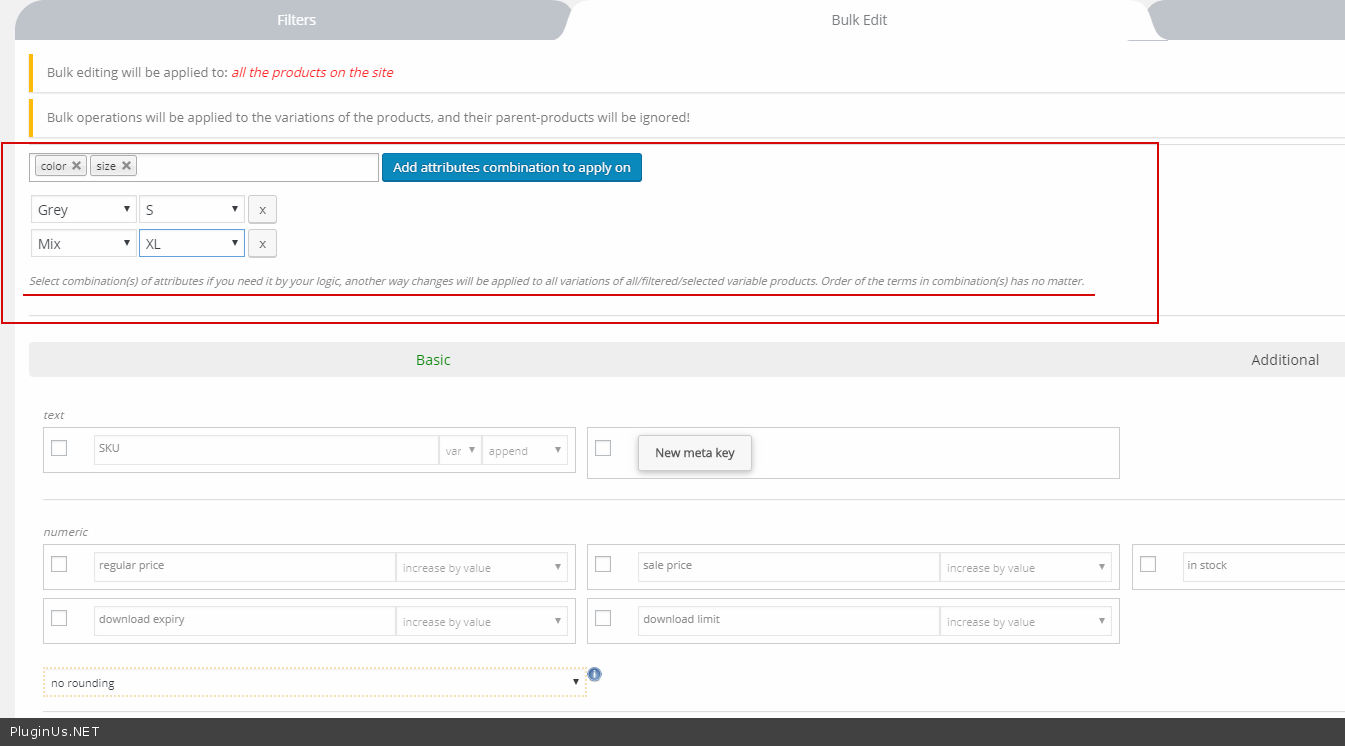
2) To change it on exact variants – https://c2n.me/41rW8rB.png
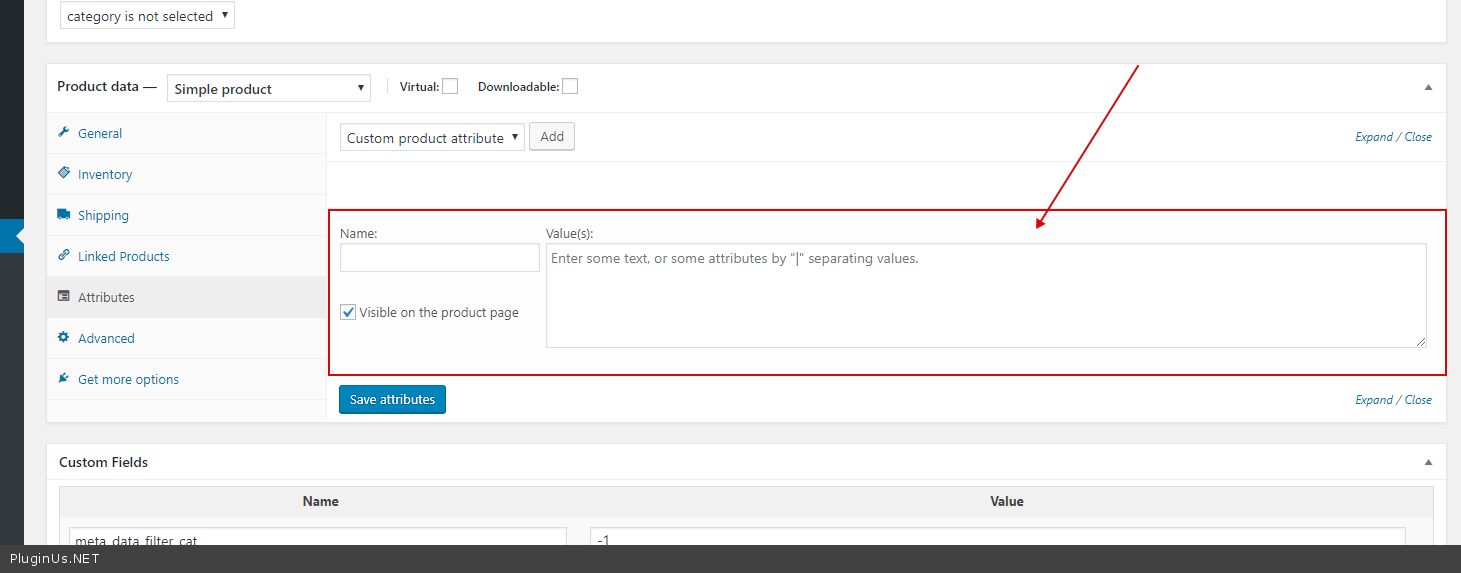
I am trying out the free version. I want to find variable products with a certain custom attribute (ie color: red). The color shows up as part of the variation product title but I can’t search for it.
Hello
Please watch video – https://bulk-editor.com/video-tutorials#video_2506
To change exact variant: Check an option – https://c2n.me/41pu8ko.png and select attributes – https://c2n.me/41pui7j.png
I tried it and this won’t work. Select attributes can’t find the custom attributes.
The PoD company doesn’t use global attributes. So I have a lot of shirts and the color red in example. I want to filter the list and delete all shirt variations with color red but it is not possible to search for it.
Hello
Unfortunately this plugin does not work with these attributes – https://c2n.me/41qL0ry.png
Hi, When I enable this addon, each time I open a WooCommerce setting page (any), The system use more than 300MB memory.
You can see it in this screenshot, there is a very heavy query (select all users): https://photos.app.goo.gl/xdaAa4MPEStcj3T46
Could you check it? thank you.
Hello
very strange! this plugin should work only on one page
Please write me on support – https://codecanyon.net/item/woobe-woocommerce-bulk-editor-professional/21779835/support
Paste your message and wp-admin + FTP access
Hello, pre-sale question. I need the bulk editor to uncheck a box. I have Yith pre-order installed and I don’t know where that data is stored. And I am trying to figure out if I can add that to the list of columns and be able to uncheck it in the spreadsheet format and/or bulk un-check it.
Hello
I think it is stored in meta data.
How to work with meta-data – https://bulk-editor.com/video-tutorials#video_1290 AND https://bulk-editor.com/video-tutorials#video_3044
Hi,
I am looking for a bulk editor.
I have a new store with 250 products. All have the same variations with the same prizes and the same upselling products. I want to avoid touching every product for adding variations, prizes and upselling product.
Can I edit them all in one with your plugin?
Hello
I think yes.
please watch video – https://bulk-editor.com/video-tutorials#video_2502 AND https://bulk-editor.com/video-tutorials#video_2506
Try free version – https://wordpress.org/plugins/woo-bulk-editor/
I have 5000 products in my shop; i tried loading your plugin (i bought it) and after 3 minutes still loading… how can i improve load speed?
Correction: It doesn’t load at all… i waited like 10 minutes… it only shows loading screen. (running pretty good vps); also tried different browsers. Please help.
Hello
I am sure js error on backend which not allow to remove load animation, it is just animation which does not depend of count of products. Please write request here https://codecanyon.net/item/woobe-woocommerce-bulk-editor-professional/21779835/support with access to the plugin page
Hi, I have a problem, I do not load the bulk editor page, in the console it gives me the following error of js: wp-auth-check.min.js?ver=5.1.1:1 Uncaught TypeError: Cannot read property ‘hasClass’ of undefined at HTMLDocument.<anonymous> (wp-auth-check.min.js?ver=5.1.1:1) at HTMLDocument.dispatch (jquery.js?ver=1.12.4:3) at HTMLDocument.r.handle (jquery.js?ver=1.12.4:3) at Object.trigger (jquery.js?ver=1.12.4:3) at Object.a.event.trigger (jquery-migrate.min.js?ver=1.4.1:2) at HTMLDocument.<anonymous> (jquery.js?ver=1.12.4:3) at Function.each (jquery.js?ver=1.12.4:2) at a.fn.init.each (jquery.js?ver=1.12.4:2) at a.fn.init.trigger (jquery.js?ver=1.12.4:3) at Object.<anonymous> (heartbeat.min.js?ver=5.1.1:1)
Uncaught TypeError: $ is not a function
   at init_data_tables (data-tables.js?ver=5.1.1:92)
   at HTMLDocument.<anonymous> (data-tables.js?ver=5.1.1:24)
   at i (jquery.js?ver=1.12.4:2)
   at Object.fireWith [as resolveWith] (jquery.js?ver=1.12.4:2)
   at Function.ready (jquery.js?ver=1.12.4:2)
at HTMLDocument.K (jquery.js?ver=1.12.4:2)Hello
Please try to deactivate all plugins except woo+woobe and do test
I left woocoomerce + woobe and still giving js error. The wordpress version is 5.1.1 and the woocommerce version 3.6.1
Hello
Please try to install another theme.
If no luck – write me on support – https://codecanyon.net/item/woobe-woocommerce-bulk-editor-professional/21779835/support
Paste your message + wp-admin access
Hello. Can i use proffesional version on a my own local domain (at my personal computer) and on the web version at the same time?
Can I change domain name where I’m using this plugin?
Hello
Yes, you can use the plugin on localhost. You can change domain. 1 site == 1 license
Hi there, tried the free version it looks great, however before i purchase i need to know if it is possible to have a column same as the thumbmail one to set the product others pictures
-> woo commerce gallery picture ?
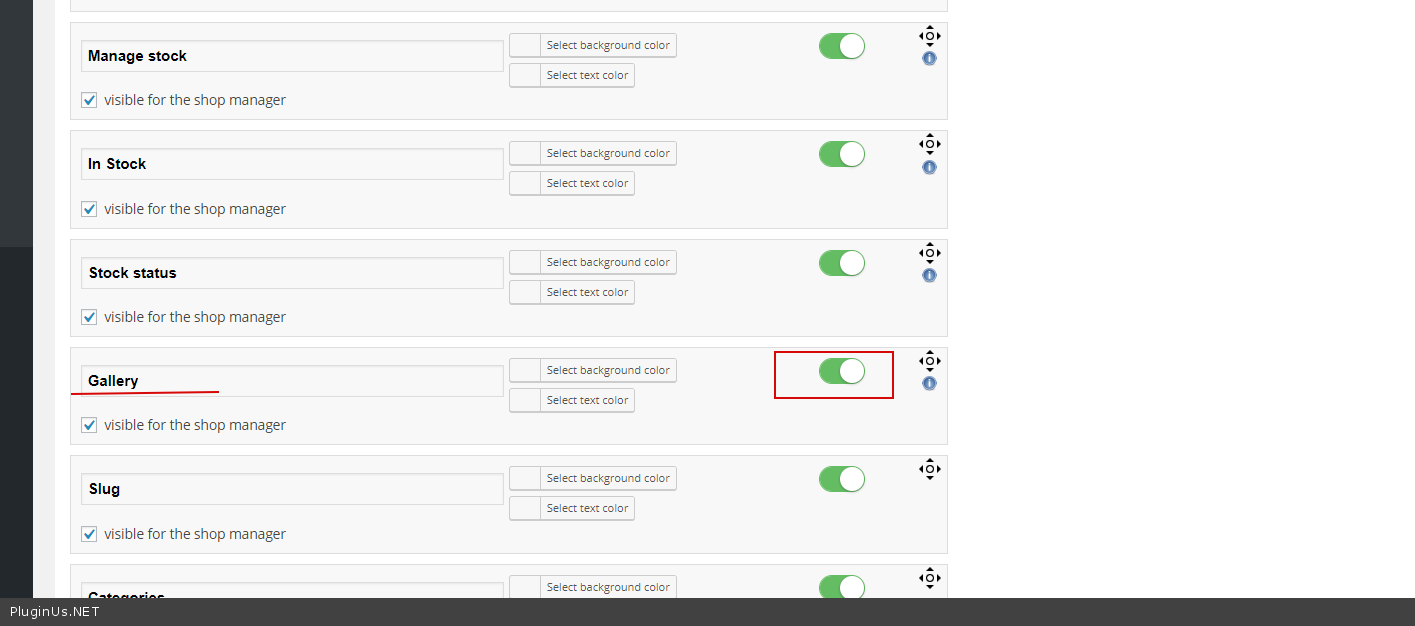
i found that in meta fields : _product_image_gallery but can’t use it with an image selector , there is only textarea, number, array, etc…no way to select images for that field as in the thumbnail one ?
Hello
Please activate this field – https://c2n.me/413hr0B.png
Hi, I really like your plugin and want to buy but I’m confused by something I see in one of your videos. The video is https://youtu.be/LritCDnZpTY and at about the 5:15 mark you reduce the price by 50%. What’s confusing is that the original price is 122.99 and after the reduction the sale price is marked down to 10.05.
Also in that video you use rounding – can you explain the rounding because I don’t understand why rounding is used? For example if a product is 102.00 and you want to reduce by 50% why not just reduce to 51.00 and when you did use rounding the number rounded to seemed arbitrary. Thanks for your help!!
Hello
1) the original price is 122.99 and after the reduction the sale price is marked down to 10.05. – please note what the sale price was before the operation.
2) It is necessary for the formation of beautiful prices.
Hi, Can I bulk edit Product Categories with this plugin? I mean to edit the Category information and not the product itself.
Let’s say I want to select 10 categories and change its parent category at once. Can I do that?
Hello
Unfortunately, the plugin does not have this feature.
Hi. Beautiful plugin, helped me a lot this few months. Recommend. Quick question: can I export products (simple, variable) without all the variations? 10X.
Hello
Unfortunately not.
Hello Vladimir
Thank you for idea, its added to the feature list and maybe will be implemented this month (or May) update
Hi, pre-sales question: In Woocommerce each of my 600 products already have product attributes already applied to them (in the attributes tab), such as (but not limited to) ‘size’ and ‘weight’. But they have not been applied as variations. Currently I have to click the Variations tab then apply “Create variations from all attributes”. I want to be able to select products in bulk (or even ‘all products’) then as above “Create variations from all attributes” where it applies the attributes given to each products (products each have a different set of attributes). I cannot find this specific feature in your plugin, can it be done? At the moment I know I can add attributes as variations in bulk using your plugin, but I have to manually select the attributes from the global list to apply them. Regards.
Hello
Please watch video – https://bulk-editor.com/video-tutorials#video_2506
Hi pre sale question: i have lots of custom fields in my variations please see here https://imgur.com/a/nzjAYOV can I bulk add them or auto-populate with your plugin? regards B
Hello
I think it’s possible!
Please watch video – https://bulk-editor.com/video-tutorials#video_1290 AND
https://bulk-editor.com/video-tutorials#video_3044
This item was featured on CodeCanyon

Power Elite Author
Contact the Envato Market Help Team