29 comments found.

So no reply here. Your own WHMCS does not work. New registration never sends a confirmation email. Checked spam folder etc. Fine way to run a business.
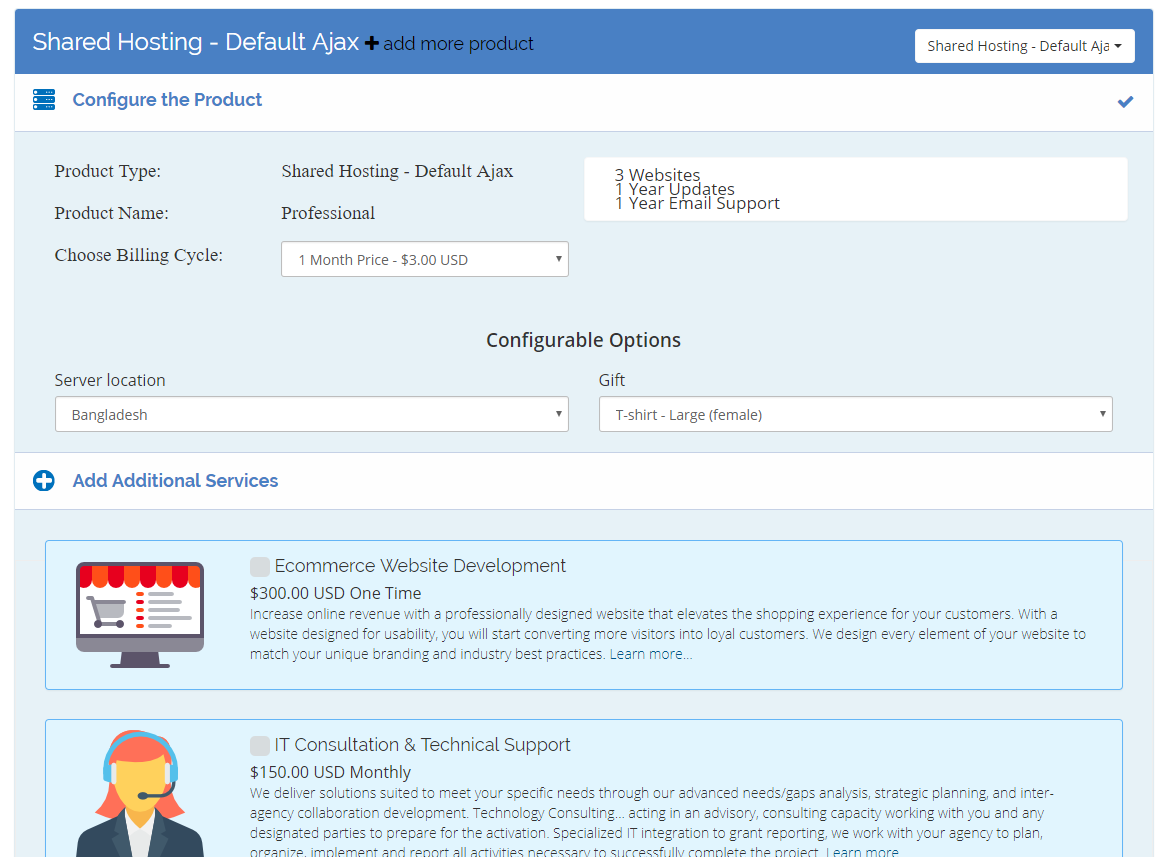
Really want to get this. Can you explain why we don’t see the pretty add-on rows in the Ajax templates? I would like he Ajax template with the nice add-on rows:
https://gyazo.com/73c8ed3887fb327454db7301124b4a64
I’m also concerned that there seems to be a bit of confusion. For instance:
https://ractstudio.com/live/supercart/cart.php?gid=3
The boxes prompt you to Configure Now but the client can fill out the form and have an empty cart. This makes no sense. A client can fill out the form, get to the bottom and they can’t proceed. Then you click on Configure Now on a product box and a totally different page appears. There needs to be a way to skip the whole cart listing all plans. Most websites hard-code in the order links so would ?a=add&pid=123 work so we can get straight to this page?
https://i.gyazo.com/1ef505d25191600b8a703723233c504b.png
I tried adding it to your demo URLs but nothing worked. I will buy this if:
1) It can be configured or fixed so no form appears unless client clicks Configure Now.
2) There is a URL that links straight to the configuration page.
This is so close to being the best WHMCS order template but right now, as it is, I can see a lot of abandonment as clients fill out a form and can’t submit because they haven’t selected a plan.
I’m really pissed, as this was my last money, i’m near the edge here.
the issue was my fault, as i used it improperly, support was kind enough to explain the problem and everything now works as it intended. Good support, and product works well!
Thank you so much. I appreciate your thought  ... If you like our product, then please write a review for our product and give us 5 star (if you think it’s worthy). Thank you again.
Hi, This is my Purchase Codes : 256d94df-a1d7-4f50-97ba-c49ece22e006 Hello
I got this order form, however, there is a small little problem with it.
please open the link below:
https://pepdigital.com/cart.php?a=add&domain=registerClick on Browse domain pricing >>>> Now choose one of those categories! See the table below that appear and disappear!
Thank you
I can’t see, that you are using the order form, on this site. And, I am seeing other user site “Browse Domains Pricing” link and it’s categories are working fine. Please, follow the doc for installation. Use our Order Form as your DEFAULT order form. Thanks.
Hi there,
Please let me know if this order form automatically works with my other WHMCS native modules, like maxmind fraud check, or abandoned cart module.
I’m asking before purchase because I’ve used in the past some custom order forms that were not working with my other native WHMCS modules.
Is this order form, something that works native with WHMCS or this is something customer that might break each time WHMCS will be updated?
Can this order form be customized ? do you offer any documentation for this ?
Looking forward to hearing from you!
Hi Emus,
This order form almost works like other native order form. It should work with maxmind, or abandoned cart module. But, we never tested it with those modules. We will update the order form when we think it’s needed update or need to include new features.
Yes, it can be customized. But, customizer (programmer) of this order form must have advanced idea about customizing any other native main WHMCS order form.
Yes, documentation is included with the product. So any person will be able to install it very easily.
Best Regard;
Mahmudul Hasan Rubel
RactStudio Team
Good work.
Thank you so much
Great Work, Congratulations GLWS
Thank you so much
Nice Work,
Congratulations! Good Luck With Sale 
Thank you so much
Very nice work, big sales to you
Thank you so much