541 comments found.

Hi, very very happy with my new purchase. Saved me HOURS of work in minutes!
Welcome  If you have any idea about WOOBE features share it please here https://bulk-editor.com/forum/
Hi there,
Is it possible to edit short description and description in bulk?
Hello
Yes!
I want to copy selected taxonomies from one product to another, Can this plugin do it?
Hello
If I understood you right – Yes: enable binded editing switcher, select all products, open popup of model product and press there Apply button
https://bulk-editor.com/video-tutorials/Hello Which email should I use to get in contact with you?I see some php errors. http://prntscr.com/jrlhav http://prntscr.com/jrli3n Regards Leonidas
Hello Leonidas
That is just notices, not errors, BUT any way I will close them. I got your request and today will answer you …
Hello, fixed …
Thank you for your fast reply. Regards
Welcome …
Hi, Presale question,
I have around 100 products that I’m looking to select (Visible on the product page) on Will this plug-in do that for me?
Would dearly appreciate if you could let me know at your very earliest convenience.
Regards
Hello
Yes, the plugin selects max 100 products per page and you can install and try free version here https://wordpress.org/plugins/woo-bulk-editor/
Use tab Filters https://bulk-editor.com/document/filters/ for bulk editing products by any criterias
Or do you mean 100 variations per 1 variable product? If yes, you can set 10 products per page, enable variations switcher in the tools panel and click on “select all variations” button – https://clip2net.com/s/3UzWTlx – then you can enable “binded editing” switcher https://clip2net.com/s/3UzX0ku and edit product using bulk editing
I have different sales and promotions constantly starting and stopping, often overlapping. Most products are variable products sorted by promotional categories Would WOOBE be a good way to turn these promotional sales events on and off?
Hello
Yes, you can always filter products using filters in tab Filters by your special categories, then in tools panel enable variations visibility and edit them using bulk https://clip2net.com/s/3UzWTlx . You can try free version: https://bulk-editor.com/downloads/
Hello, I’ve tested your free plugin, and it seems to be nice
Pre-sales question: is this plugin capable to add the same images to the different products at once, keeping existing uploaded images on product which are different (in gallery, that I cannot test in free version)?
Thank you.
Hello
Yes, can! Gallery is in premium version only. Bulk operations you can do in Gallery: https://clip2net.com/s/3UvRZp3 – you need apply “Add selected images to the already existed ones”
Hello I’ve tried your plugin and it’s cool. Anw, do you have multi-photo field like this https://prntscr.com/jon7wr? I was tired to update multi-photo one by one, so this is my first priority. Everything else are well for me!
Hello
Sure, that column name is Gallery – https://clip2net.com/s/3UvRFjl + https://clip2net.com/s/3UvS7XB – and you can enable in tab settings (looks like this column in premium version only)
Bulk operations you can do in Gallery: https://clip2net.com/s/3UvRZp3
Cool, I will buy it for sure. Thanks for making this awesome plugins!
Welcome
So, I’m trying to pull this field into the editor. Could you lead me how to do that? A bit tricky.
If I set “textinput”, it shows “[object Object],[object Object” If i set “textarea”, it shows “Array” If I set “Array”, it shows a blank square box.
Hello
I looked into it, and data there saved as object https://clip2net.com/s/3Uupt8x , WOOBE not understand it now, but will, I already has an idea how to parse it https://clip2net.com/s/3UupBs8
Suggest you idea about adaptation here please: https://bulk-editor.com/forum/forum/first-forum/ – Custom Product Tabs for WooCommerce adaptation – and we will make process there
Wonderful plugin! Highly Recommended.
Geez! I hope I know this plugin earlier. Save me lot of time. Before this, it was really painful to maintain products.
Thank you
Hey There, There are two bugs which I found on use. First is with the content pop up. Sometimes description’s, small description’s and other content popup based custom meta data’s text got interchanged. There is some bug and I have to reload the page and again edit that data. However, data is not saved in that product. Secondly, On adding a new product, all attributes added as variations. Like I have many attributes as Brand, fabric, sleeves style and all. Which I don’t want to add them to variations. I only want to Size and Colour Variations. Which I always add in accordance to this video>>> https://bulk-editor.com/video-tutorial/variations-advanced-bulk-operations/ But still, all other attributes added as variations. About geo-IP rules, I wrote to you in your email.
Hello
1) Please check browser console( Perhaps this is JS error ). I can not repeat this error. I can not repeat this error
2)To add attributes in parent products – https://c2n.me/3Ur17mV.png
You Misunderstood my second. I will screenshot the issue and post it your forums.
Hello
1) Make short video please where you show text interchanged
2) You can add new product as simple, then you should its type and only then add attributes. ATTENTION: when you add new variations and in parent product selected (in tab Attributes https://clip2net.com/s/3UrdaDP ) attributes like color and size – they will be marked as not selected but presented, so before adding new VARIATIONS detach by bulk all unnecessary attributes from parent product
If I not understood you make video with process you mean and share here please
I email you the video. Hope you now understand my issue.
Hello
Support answered you by video also, is that helped you?
Hi, will it be possible to translate this plugin using Loco Translate Plugin? Thnaks!
Hello
If Loco translate plugin work with *.po files – Yes
Hi, I’m looking forward to use the premium version of this plugin but I need to translate it to Portuguese-BR. I managed to translate some words from the .POT file but it seems that the most important words are not present in the .POT files. I need to translate those column titles in the main view, the Products Editor page (Thumbnail, Title, Description, Status, Regular Price, Sale Price, etc) but I couldn’t find them.
Hello
Looks like understood you, I will look into today and will give you answer
Hello
Write me please request here https://pluginus.net/contact-us/ and I will share some files for free version which will allow you make translation. And it will be good for your compatriots if you will be able share *.po file …
Just tried newest version and is indeed faster than before. Keep up the good work!
Thank you
Hello There, I really want to buy this plugin. Just a pre-purchase question. I have also bought Woocommerce currency switcher. There is an option in woocommerce currency switcher >> Individual GeoIP rules for each product(*).Is it also possible to edit prices of each product based on geo-Ip with this bulk editor plugin? I have activated the free version of this plugin. But can’t see any option there. As in specification, it is said that Compatible with – WooCommerce Currency Switcher. Best of luck for your sale grin:
I find out that it is compatible with Individual fixed prices rules for each product() feature. Is there any way to make it compatible with Individual GeoIP rules for each product() feature?
Hello
Thank you for info.
I already passed it to developers.
I’ll write to you as soon as we create it.
Done in the v.2.0.1
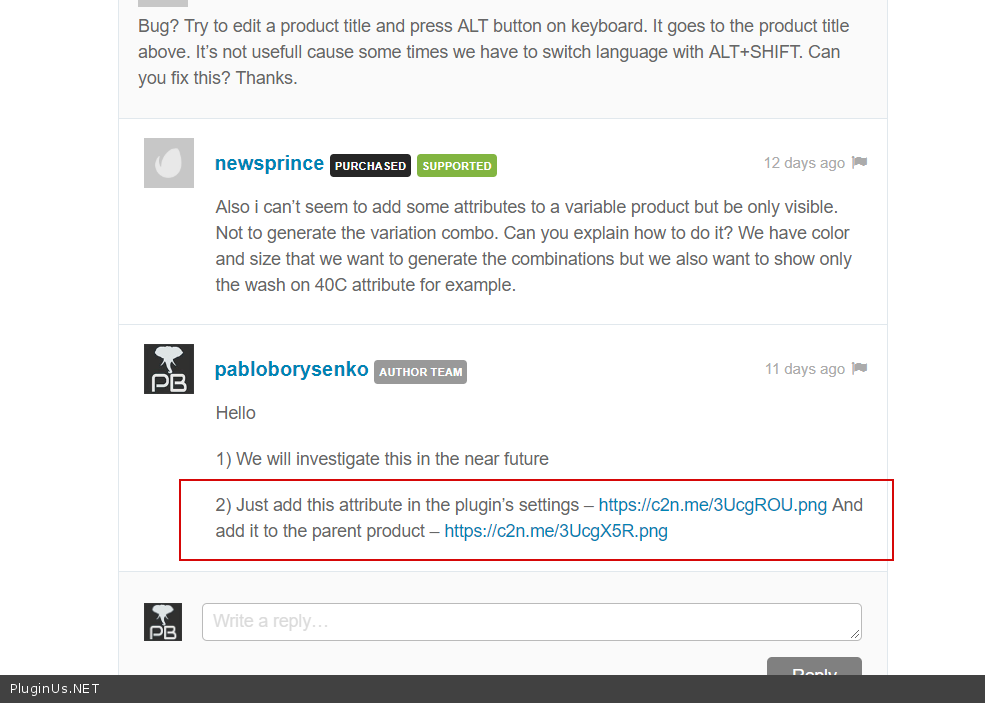
Bug? Try to edit a product title and press ALT button on keyboard. It goes to the product title above. It’s not usefull cause some times we have to switch language with ALT+SHIFT. Can you fix this? Thanks.
Also i can’t seem to add some attributes to a variable product but be only visible. Not to generate the variation combo. Can you explain how to do it? We have color and size that we want to generate the combinations but we also want to show only the wash on 40C attribute for example.
Hello
1) We will investigate this in the near future
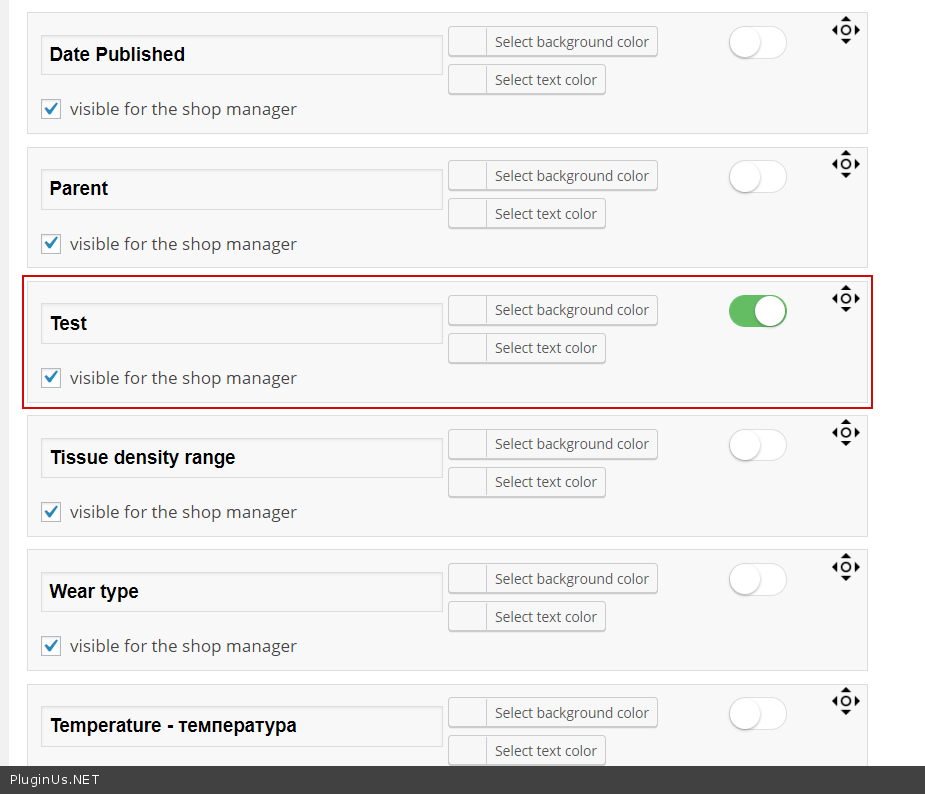
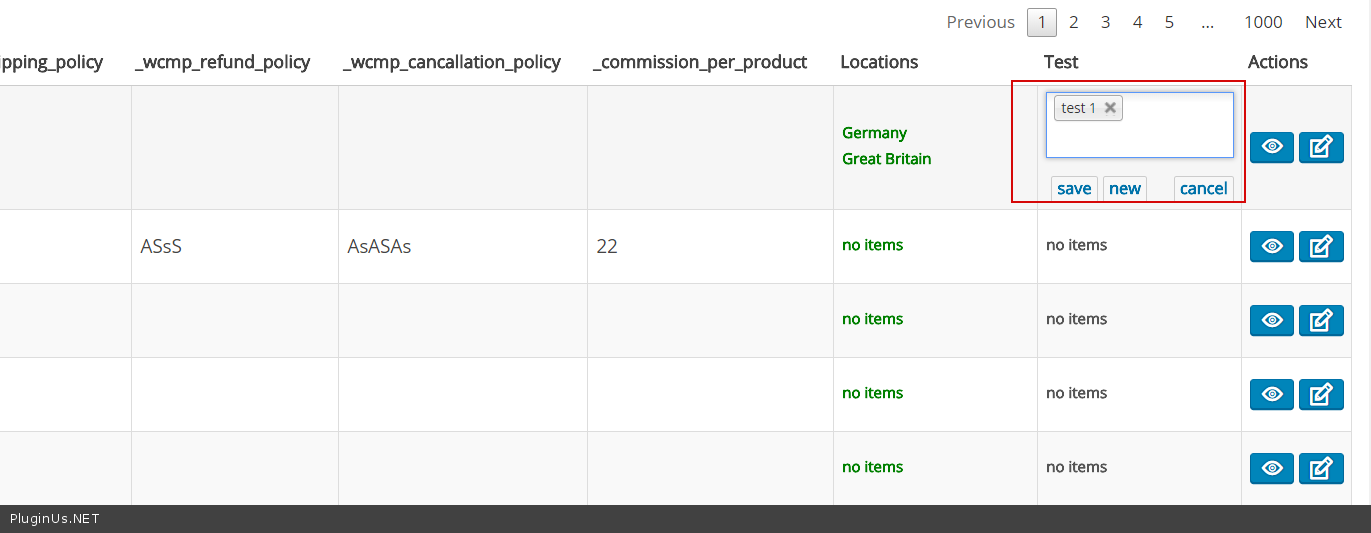
2) Just add this attribute in the plugin’s settings – https://c2n.me/3UcgROU.png And add it to the parent product – https://c2n.me/3UcgX5R.png
Hello
We still work on your suggestion. In lat update performance been improved and added possibility to work with jsoned/serialized meta data
https://bulk-editor.com/update-2-0-1/Hello
Sorry for delay – ALT will be removed from the next version. Now you can remove it from code:- open file wp-content\plugins\woocommerce-bulk-editor\assets\js\data-tables.js
- find code
if ($.inArray(e.keyCode, [13, 18, 38, 40]) > -1)(CTRL+F) - replace to code
if ($.inArray(e.keyCode, [13, 38, 40]) > -1)
Thank you. We ll wait for the next release.
Feature rich, elegant plugin, very promising but it is slow until it loads. I really like the ui etc but something has to happen about the speed. Especially when you have many products and attributes etc. Also our server is fast enough, not shared hosting or anything like that.
Hello
Thank you! Good case for investigation for optimization. I tested the plugin on share hosting with all columns and 100 products and it been 25-30 sec per page, but as I described in one of the video https://bulk-editor.com/video-tutorials/ its better not enable all columns if its not necessary, OR set less columns. But if you not enabled all columns and any way have slow speed write on support please https://codecanyon.net/item/woobe-woocommerce-bulk-editor-professional/21779835/support with wp-admin access or even better make clone of your site by https://wordpress.org/plugins/duplicator/ and share its access with me.
And one more: what PHP version is on your site?
We are on cloudways. PHP 7.2. The server is fast. Fast sql execution time and php time, no problem with that. Your plugin i set it with the default columns etc. We haven’t had much time toying around with it yet. Just a first picture. Although it’s seems very good indeed the loading time is a little bit overwhelming..Anyways. Keep up the good work and just have in mind for future releases and optimization
P.S.: We have 1500+ products with variations etc.
Thank you! Next week we will start do optimizations. If you will have any ideas about the plugin features please share it here https://bulk-editor.com/forum
hi can i also bulk edit orders ? thank you
Hello
No, just for products only!
Congrats
Good Luck With Sales

Thank you
Great Work, Congratulations GLWS
Thank you 
Realmag’s products and support services are absolutely top notch. He delivers every single time. One of the smartest developers I have worked with. Always a pleasure to see you release new products.
Thank you!

This item was featured on CodeCanyon

Power Elite Author
Contact the Envato Market Help Team