31 comments found.

I downloaded this from Enovato Elements, but I don’t see any way to create a Single Post template – just all posts and sticky posts. There are no instructions in the documentation for sticky posts. How do I create a single post template?
I’m also trying to add a border around each post.
Hello,
I am using your plugin since many years. But in the latest Version 6.2.0 I miss the Background settings feature in the Row Settings. Now it doesn’t work for most of my templates. There is any chance to get this feature back?
https://imgur.com/a/MaRZAKiThank you and best regards!
Hi,
sorry but i don’t undestand your question. Our plugin doesn’t used WPBakery row options. Do you wrong plugin author?
Best
yes sorry!
Hi, I downloaded this plugin from Envato Elements a couple of days ago and have the same problem as the person who commented two years ago:
“Hello, this will not work if we are not able to offset the posts that shows in each new post grid we add. How do we offset posts. So like the first grid would be header display type 1 (1 post and 2 on the side) then if we want to add another grid underneath that with a different layout, we can’t have the same posts being shown in that grid, we would need to offset the posts by -3, so it starts on the 4th latest post to never repeat. does that make sense? (we don’t have categories and only want to organize the posts by date) please let me know how to fix this asap, thank you.”
Can you Please advise how to fix this? Thank you in advance.
Best wishes
Hi,
currently offset posts is not included. If possible we will add it in next update.
Best
Pre-sale : 1- It can display posts of sub-sites in main site for multisite mode ? 2- It support RTL ?
Hi,
Sorry I din’t understand well your request. You can use our addon indipendentely from multisite mode. So can you descrive better what do you mean thanks
Best
we want activate plugin in multisite mode and we want to show posts of some sub-sites in main sites (posts query)
Hi,
no is not possible. But it’s a good idea to add it in further version of plugin.
Best
We are waiting if you add it reply us, about RTL ?
The Try before you buy demo isn’t working. It tells me that the username and password aren’t right. Thanks!
Hi,
solved. Now you can access.
Thanks to share issue.
Best
Thank you!
Sorry, this is what it gives me now. https://prnt.sc/pvdf7z
Hi,
site works without any problem. Please try again and let me know.
Best
Hello
Is this support xml and rss?
Thank you
Hi,
unfortunately you can’t user xml or rss as source.
Best
ok thank you
error con wp news ticker y con wp header display. Help me please
Hello, this will not work if we are not able to offset the posts that shows in each new post grid we add. How do we offset posts. So like the first grid would be header display type 1 (1 post and 2 on the side) then if we want to add another grid underneath that with a different layout, we can’t have the same posts being shown in that grid, we would need to offset the posts by -3, so it starts on the 4th latest post to never repeat. does that make sense? (we don’t have categories and only want to organize the posts by date) please let me know how to fix this asap, thank you.
Hi icemocalatte,
thanks to purchased our plugin.
Please open a ticket here https://adtheme.ticksy.com/ with url page and dev staff will check your issue.
Best
hey, loving the plugin so far! would be cool though if the social media widget you offer included more social media. at least youtube and instagram are very crucial i think. something to consider 
Hi wolkify,
thanks to your feedback.
Yes we will consider it. We will add it in next update.
Best
cool, looking forward to it then
oh and another thing, but totally unrelated: it would be great to be able to choose to display single posts; that you can just type in the post ID and then make a list to display out of that.
Hi,
it’s a good idea. Thanks.
Best
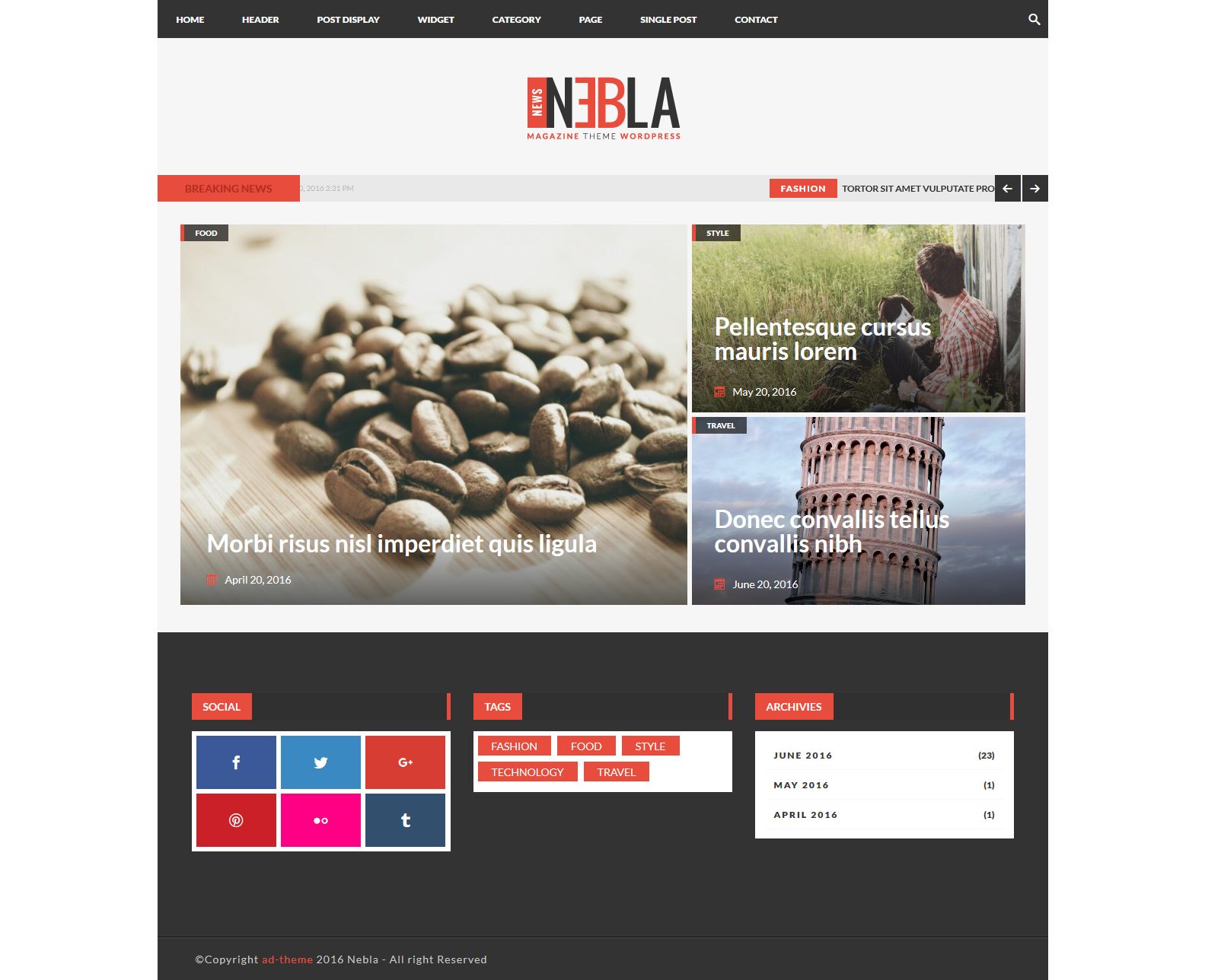
Hi there! Had a quick question before I bought your pack. In one of the screenshots, there’s a post display that I was unable to find in your demo pages. Is it available at all? It’s the one where there’s a larger image on the left and two smaller on the right. https://s3.envato.com/files/194439103/01_screen.jpg
Hi,
thanks to your interested at our plugin.
Sure it’s available. You can check here a demo pages:
1) Layout 1
http://plugins.ad-theme.com/wpmegapack_vc/header-type-1-layout-1/2) Layout 2
http://plugins.ad-theme.com/wpmegapack_vc/header-type-1-layout-2/Best
That’s strange, I’ve checked it out on both Chrome and Firefox but both did not show the plugin properly. https://i.imgur.com/Rnurtgd.png
Hi,
did you have installed some adblock?
Sometimes it will hidden some parts of site.
Best
Is there any solution to this or any reason why it would be blocked off? This would mean any adblock visitors would not be able to see the header properly.
Hi,
Yes there is a solution. On next update will add this compatiblity with adblock.
If you don’t want wait you can open a ticket here https://adtheme.ticksy.com/ and I provide you a code to add it.
Best
hey, this is a pre-sale question. 
i have huge problems with the original post grid of visual composer, since it works with ajax and creates massive delays displaying the posts (more than 10 sec). apparently there is no way to fix that. i just want to know if i have to expect something similar from your plugin?
Hi wolkify,
thanks to interest at our plugin.
Our plugin works with WP Query and doesn’t use any ajax method.
So it depend only from your hosting because our query is very easy and fast.
Kind regards and thanks again.
hey, i just bought your plugin and have a question about it. i wanted to submit a ticket but it tells me the purchase code is for a different item. im sure it is the right one though, i just got it an hour ago. how to proceed?
maybe it’s an easy fix, so i will just ask here:
since i installed the plugin my front page shows a comment field. this wasn’t there before and also disappears again when i dont use your plugin.
of course i have the comment function disabled for all pages on the site, and did it specifically on this page now again, but it didn’t help. any ideas?
Hi wolkify,
thanks to purchased our plugin.
Please open a ticket here https://adtheme.ticksy.com/. You can find purchased code on codecanyon download options look here http://d.pr/i/oMm
If you have an issue use a category PRESALE QUESTIONS. And give me url site and temporary administrator account.
Thanks.
Kind regards
well, thats what i was trying to explain in my comment above: your ticket service doesnt accept my purchase code, even though i just bought it yesterday. i dont know why, i chose the right product and the right code. any idea on what to do?
Hi wolkify,
very strange because other customer open ticket without any issue.
Use Presale category. This category doesn’t required purchased code.
When you will open a ticket please add purchased code.
Kind regards
This plugin is still compatible with the latest versions of the Visual composer and WP 4.8.x? As far as I can see the last update of the plugin was a year ago. So can it still be used without problems?
Hi mgstanev,
yes works with WP 4.8.x and with latest version of Visual composer.
You can use it without any problems.
Kind regards
hi how can i achieve the same layout you have on your pictures? one large post on the left and a few other like boxes with different sizes on the right?
well i can see some post are showing in the source code but they’re not displaying, in layout 1, and your example they’re not working as well, what’s wrong?
If I use 1 megapack header display type and 1 megapack post display type on the same page, how can get exclude those posts appearing in the header display type from appearing in the post display type?
Hi domainarchitect,
is not possible exclude those posts.
But you can add a category for header posts and select only this category when you create header display (selecting on tab Query this category) and exclude this category inside post display.
Let me know.
Kind regards
If I do that, how can we control which category gets displayed? Or do they all get displayed?
Also, I am not sure if this is a complete solution because I would like to feature all of the latest posts using these two display types. If I limit what one can show by selecting a category, there is no way to exclude that category in the other display type, is there?
Hi,
if you don’t use a sticky post you can mark has sticky this post and on header display on Query TAB select Posts/Sticky posts -> Sticky Posts.
Other post doesn’t get on post display.
Let me know.
Kind regards
Sorry. I am having trouble understanding. It sounds like you are saying on the Header display type I should select Sticky Posts under the Query Tab and any Stickied posts will appear in the Header Display Type but if I select All Categories under Post Display Type then it will not display the Stickied Posts?
Hi,
yes. Did you try this solution?
Please if you need more support open a ticket here https://adtheme.ticksy.com/
Kind regards
I have some pre-sale question: I see a loading effect, is it possible to disable in the back end? We want to show only the various thumbnails on the front end. not: social, tags and archive, no newsticket tab etc etc, is it possible to disable all that in the back end?
In the demo you provided it is very limited and those things is not able to remove.. please let me know!
Do i need to buy the original plugin + the visual composer version? or the vc version will work just fine?
Hi chandell,
1) Loading effect is created on theme. Our addons haven’t a loading effect.
2) You can try the plugin before buy it. Currently you can hidden some fields for each addons.
3) no you can buy visual composer version only. If you buy vc version you need only to have installed visual composer because this is an addons for vc.
Kind Regards
In the demo you provided it is very limited and those things is not able to remove.. please let me know!
Hi,
I didn’t well what do you mean. If you logged here http://plugins.ad-theme.com/wpmegapack_vc_try/ you can check all addons and features. So what do you mean?
Kind Regards
Does the plugin look exactly like the screenshots/demo when installed on any site? Or do the elements take on the styling of the theme you are using?
Hi,
yes visual composer elements get exactly the style in any site.
Kind Regards
I too get the “not have a valid header” error. Not sure what to do about that.
Hi,
I just replied at your ticket.
Kind Regards
Hello, how was the single blog post achieved here: http://plugins.ad-theme.com/wpmegapack_vc/2016/06/20/praesent-posuere-risus-ut-hendrerit-aliquet/
Hi,
this post is a layout of theme. You can download this theme. Follow the guide in demo home page.
Kind Regards
Hi there, I just got the “not have a valid header” error as well. What needs to be done?
Would love to but am getting an “unknown error” message when I try to submit a ticket. I’m guessing that the fix to my issue is the same as the comment above me with the same error message. What was his fix?
Hi,
very strange. Can you send me at support @ ad-theme.com you license code for check the issue with our support system?
Thanks.
Kind Regards
Just purchased this plugin and when I installed it and went to activate it, it says “The plugin does not have a valid header.”... what needs to be done?
Hi,
I just replied at yout ticket.
Kind Regards