219 comments found.

Hi my support just expired but the plugin broke again after I contacted you last week and I havent made any change so hopefuly you can help because its still the same problem which wasnt solved properly.
How can i get rollback version? (Version 1.3.0 – November 9th, 2017)
I was updated 1.4.0 and broken. capture: https://uppic.cc/d/MW4 (icon are broken when zoom in)
Hello,
Could you please open a ticket on the support forum for any issue or question. Thank you.
Themeone
My support time still not end but the support forum is not work correctly.
Actually, i dont need support. just need rollback version, thank you.
Hello,
The support forum is working fine currently.
About your issue, you should try to remove your current version of ModuloBox and install the last one from CodeCanyon.
Themeone
Solved, its cause of cache. It working fine after restart my server.
Thank you
Hi, I am interested in this plugin. Your website says ModuloBox works with “single images added from Add Media button (WordPress media library)”. Does this mean that all single images I insert into my WP posts will automatically open in the ModuloBox lightbox (without me have to code anything else)?
Hello,
Yes, if you insert an image from the “Add Media Button” ModuloBox will be able to open it in the lightbox. It’s automated and there is an option to enable or disable this feature.
Themeone
Thank you for the quick response! One more question…If I add multiple single images inside of a post, is there an option for when a single image is clicked, that the clicked image along with all of the other images within that same post automatically display as a gallery?
Hello,
By default, it opens all single images individually. But, it’s possible to open them in the same lightbox gallery thanks to a custom JS code that I can provide on the support forum.
Themeone
Awesome! Just purchased both ModuloBox and The Grid for my wordpress site.
Hi, pre-purchase question. Can a lightbox like the example link be created with ModuloBox?
- Images on the same page or post are shown as a gallery even they are added as single image. - Smooth change to lightbox and back. - White background.
Regards,
AJ
Hello,
It’s possible to open all single images in the same gallery thanks to a custom JS code.
You can change any color of ModuloBox. So, it’s possible to set a white background.
And, about the behaviour, you can take a look at the live demo: https://theme-one.com/modulobox/
Themeone
Hi, thanks for a quick reply. Regards, AJ.
lets say we click an image and lightbox opens. Clicking back shld close the lightbox. Not go to previous page. Can this be achieved?
Hello,
Unfortunately, there isn’t any option to control the browser history. So, it’s not possible to close the lightbox when clicking browser back button.
Themeone
How does your plugin handle long image descriptions and captions? I need to display a big chunk of text along with my image, but your demo only shows small amounts of text. Can you show me what it looks like with a few paragraphs?
Hello,
By default, caption height is automatically substracted to the image height. It’s also possible to make overflow the caption on the image. In all cases, nothing is cropped and it will always fit the screen size.
Themeone
Can you show me a demo with a large image description? I’m worried it won’t look well because many other lightbox themes fail to handle it well
Hey, really interesting plugin, I will buy it soon for sure,
Before I do that can you please tell me will I get that first slider you have in the demo with the plugin? or thats other plugin doing it? (I’m talking about that cube rotating in a frame)
And when is the next update coming?
Hello,
ModuloBox is the popup which opens on images clicked. It’s a lightbox. The 3D rotating cube is the logo and this is not provided with ModuloBox. This logo is copyrighted.
The next update will come this month.
Thank you.
Themeone
Add please share via vk.com
Hello,
Could you please open a ticket on the support forum for any issue or question. Thank you.
Themeone
Hi! Is there a way to launch a 360 photo in Modulobox lightbox? I don’t want it loading it the web page, unless it is requested by the user. Thanks!
Hello,
I’m not sure to fully undersstand what you mean. With ModuloBox you can programmatically add photos in the lightbox wihtout the need to add them in the page. However, it requires to JavaScript knowledge.
Themeone
Hello,
I have some pre-buy questions:
- is it compatible with your “the Grid” plugin?
- is that sexy 3D cube from demo site available to use? 
Cheers & keep up the good work!
Hello,
Yes, ModuloBox is compatible with The Grid plugin.
The 3D cube is not part of ModuloBox. It’s just the interactive the logo of ModuloBox.
Themeone
Hi, I insert images in product’s reviews of woocommerce by using another plugin. Can this plugin work on those images?
Hello,
It requires to create a custom JS code in order to make it work. By default, The Grid will only opens the native Woocommerce gallery product available on single product page.
Themeone
If I enter the class names of div or img label in Custom Query Selector, can that make it work?
Hello,
The custom selector allows to open any custom markup in the lightbox. But it opens images individually and not in a gallery.
Themeone
Hi, can I use trigger the lightbox with a link or button? like adding a class or id to
Hello,
Yes, It’s possible to trigger the lightbox from a custom markup by adding a class (to on the ligthbox) and HTML data attributes to set the content displayed in the lightbox.
Here you will find more information about ModuloBox API: https://theme-one.com/modulobox/javascript-api/#setup
Themeone
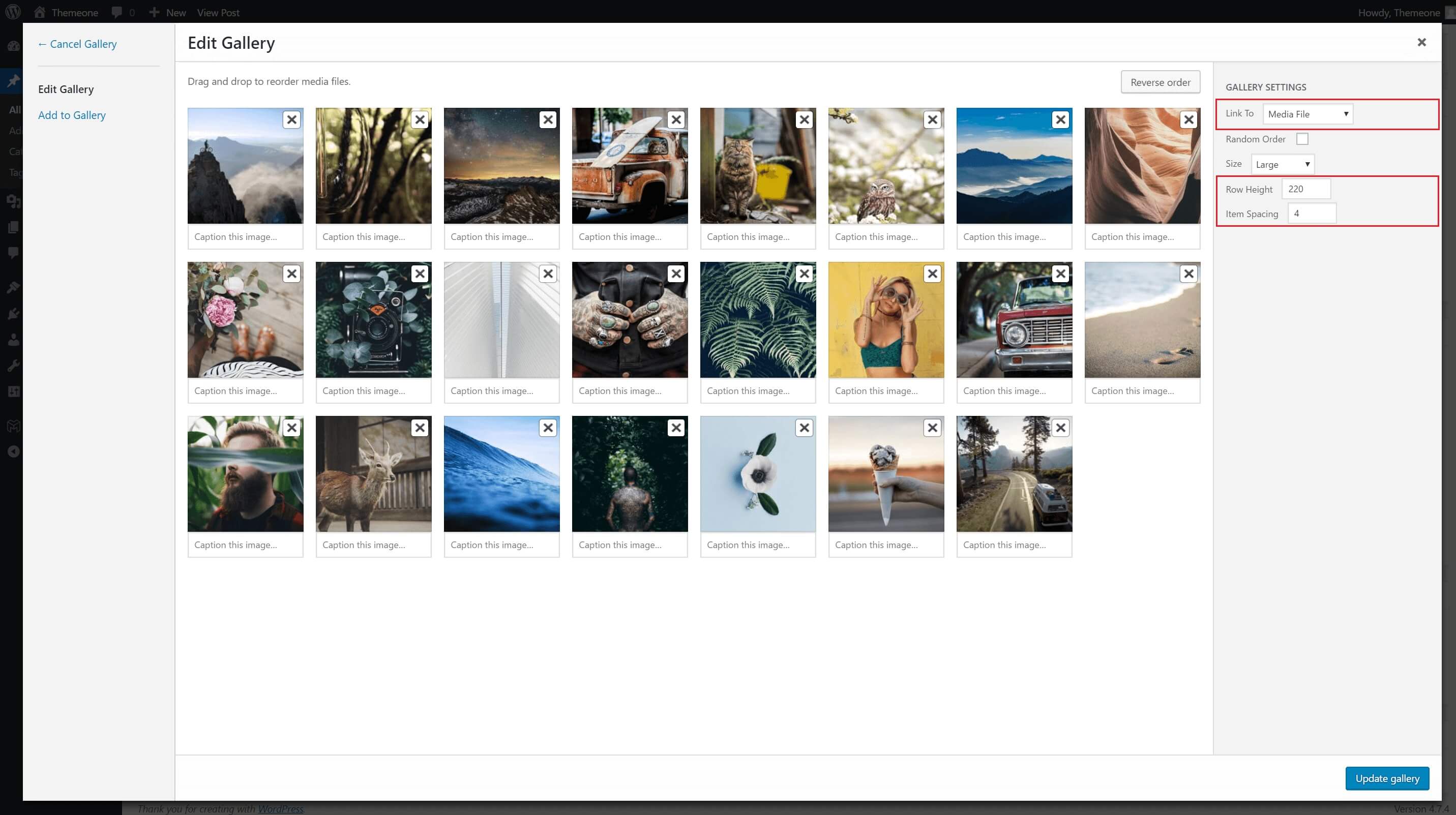
https://theme-one.com/modulobox/assets/images/documentation/gallery-shortcode-2.jpg
Hello,
Sorry, but I’m not sure to fully understand what you mean.
ModuloBox is a lightbox plugin and not a gallery plugin. It’s the popup which opens on image click.
The first screenshot is the WordPress Gallery Shortcode. It’s not ModuloBox.
Themeone
I’m talking about this … https://theme-one.com/modulobox/documentation/#gallery
Hello,
Yes, this is the WordPress Gallery Shortcodes. ModuloBox just change the apperance of the gallery by a justified layout. All other settings still are the same as the WordPress Gallery shortcode.
Themeone
in other words… I can see the photo on the page always in 3 columns (not in 4, not in 2)!?
Hello,
WIth the default WordPress Gallery shortcode you can set a number of columns for the gallery. And with Gallery option enable of ModuloBox, it’s a justified layout, so, you can’t control the number of columns.
Just in case, ModuloBox is not a gallery plugin but a lightbox plugin.
Themeone
Is the plugin work with the Envira Gallery free (lite) version?
Hello,
Yes, ModuloBox work with the free version of Envira Gallery plugin.
Themeone
Hi I want to make a gallery with your plugin and looks eveything great. There is only one problem everytime I go to a new gallery it shows the images in a 3×4 ratio but I want to display in mansory style so the images dont get cropped and deformed. What am I missing ? Thanks for your help http://raphaelgallery.ch/street-animals-2/
Hello,
Could you please open a ticket on the support forum for any issue or question. Thank you.
Themeone
hi, does it work with elementor ? Thanks (already have the php version)
Hello,
ModuloBox will automatically open media from the native WordPress Gallery shortocode and these plugins: NextGen Gallery, Envira Gallery, JetPack, Visual Composer, The Grid, Justified Image Grid and Essential Grid plugins.
So, if you are using a gallery which is not compatible with ModuloBox, it will require to use a customSelector (class name, id, etc…) and/or to create a custom JavaScript code to make it work.
Themeone
Hi any discount for black friday?
Hello,
Unfortunately, there isn’t any discount on ModuloBox plugin. The price is already cheap and I can’t make any discount on it.
Themeone
I´d like to use MODULOBOX with DIVI theme. Possible?
Hello,
ModuloBox works with any theme. However, ModuloBox will automatically open media from the native WordPress Gallery shortocode and these plugins: NextGen Gallery, Envira Gallery, JetPack, Visual Composer, The Grid, Justified Image Grid and Essential Grid plugins. So, if you are using a gallery which is not compatible with ModuloBox, it will require to use a customSelector (class name, id, etc…) and/or to create a custom JavaScript code.
Themeone
Thank you – but unfortunately i´m not a coder. So creating something like a selector and/or a custom JAVA script is not my thing 
Hi, are there any tutorials how to integrate your plugin with The Grid or Essential Grid? I just don’t know where to put movies to get autoplay, embeds and so on. The best option would be to make something just like in your “mixed gallery sample” ; also with icons only for movies and with some embed sites.
Hello,
Could you please open a ticket on the support forum for any issue or question. Thank you.
Themeone
Hi, of course. Just posted. Thanks for reply
Hi, I like your plugin. But I have a question, can your plugin do that ? Check this site: https://wpastra.com/ready-websites/ I am trying to make a popup when click to quick view button. Can I do that with your plugin ?Thank you
And more. I mean can I insert some small HTML to popup ?
Hello,
On your website example, I do not see any lightbox like Modulobox.
ModuloBox is a lightbox plugin. It means that you can open media (image, video) in a popup. You can also open custom HTML markup. ModuloBox is not a quick view plugin.
Themeone

This item was featured on CodeCanyon

Elite Author
Contact the Envato Market Help Team