26 comments found.
Good luck with your sales
Thanks 

Pre-Sales Question: I see that the last update to this plugin was almost 2 years ago. Is this plugin compatible with the latest version of WP and is it being actively maintained (bug fixes and security updates at the least)?
Hi,
Sorry for my late response.
Yes, It is compatible with latest version of WordPress.
We have already added Gutenberg page builder support and also the new update is on its way.
Kind Regards,
Pre Sales Question: I just want to use the timeline as as (sticky) menu on top of my page – without images/cards or any more text than a sole title – and would need the ability to put my own (anchor-)-links into the timeline entries so that whatever timeline item that i click on lets my page scroll to the according #anchor of the linked blog entry of my page (one pager). Would that be possible to achieve using your plugin? Thanks, Cheers! V.
Hi,
Thanks for reaching out to us.
I have gone through your query but sorry this functionality is not available at this moment.
Kind Regards,
Can this do BC dates? And if so how?
Hello, Can you please explain in details?
Hi, thanks for the good plugin. Is there any way to make the timeline 100% width? Currently its set to max-width: 800px. Thanks.
Nevermind, just found it in wphtsp-pro-public.css
Hello,
Great if you face any issue, please let me know.
Hello, great timeline, at the moment, your free version work fine for my needs. Possible to change the blue color or I need to purchase the pro version for that? Many thanks
Hello,
Yes you can change the blue Color with small custom css. Do you want me to give you that css?
Hello, yes with pleasure, but I do not want to overuse your precious time Thanks
Hello,
Please try this css:
.wpostahs-slider-design-1 .wpostahs-slider-nav-title.slick-current .wpostahs-main-title::before { border-top-color: #000; }
.wpostahs-slider-design-1 .wpostahs-slider-nav-title.slick-current .wpostahs-main-title::after { border-top-color: #000; }
.wpostahs-slider-design-1 .wpostahs-slider-nav-title.slick-current .wpostahs-main-title { background: #000; }
Thank you so much, it’s work perfectly! Kind regards
Hello,
Please share your rating and review if you like our plugin and support : https://wordpress.org/support/plugin/timeline-and-history-slider/reviews/?filter=5
Hi,
Im using the horiontal slider pro inside an accordion. On every device, including phones we’ve tested the default view opens like this:
On desktop: https://i.imgur.com/xVgLYQt.png On phone: https://i.imgur.com/3psJWrM.png
Clearly the layout is messed up. After we click on next or previous dot suddenly the layout jumps back to normal??
It should look good at ALL times ofcourse. We only added few lines of custom CSS, nothing more.
Can you please help me fix this problem? I also mailed yesterday, but still not response… 
URL to the (in development) site: https://bit.ly/2CRKUJH
Hello,
I think you have been already chat with our support team and they had fixed your issue. Am i right?
hello, Does the plugin work well with WPML or translation?
Hi,
Yes, Plugin is created with custom post type and it will work well with WPML as well as with any translation plugin.
Thanks and Regards,
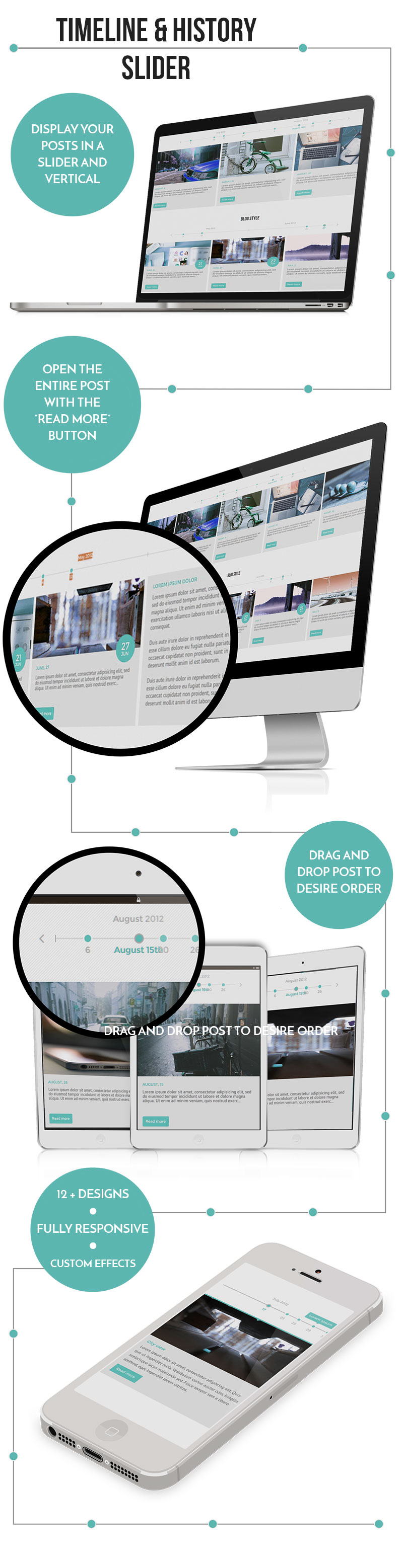
Hi, can you guide me please. I would like to set up a slider like the one you have advertised on the item details page. The horizontal slider with dates that you can see on the laptop, Imac and mobile screen pictures. Many thanks.
Hi,
Plugin is created with shortcode so you can add it in any page you want.
Here is the plugin demo http://demo.wponlinesupport.com/prodemo/timeline-and-history-slider-pro/
Here is the plugin documentation http://docs.wponlinesupport.com/timeline-and-history-silder-pro/ so you will get basic idea about this.
Please let me know if there is anything.
Thanks and Regards,
Hi, thanks for the quick response. I have read the documentation thanks. What I’m trying to recreate is the example from the screen shots. I can’t figure out how to put the post content into columns? The example screen shots have 5 columns on the imac screen, 3 on the laptop screen and one on the mobile screen. Also, how can I show the date on the .wphtsp-slider-nav without using the post title? Which horizontal demo should I be using to recreate that example? Hopefully that is a little clearer what I want. Thanks for your time.
Hi,
Sorry for the delay.
The image which you have seen in our content is just a demo graphical representation of content.
The plugin contain only below designs.
Here is the plugin demo http://demo.wponlinesupport.com/prodemo/timeline-and-history-slider-pro/ You can checkout all designs from Plugin > Shortcode Generator and play around that will all parameters. You will be more cleared from that.
Thanks and Regards,
Hi, How would one go about obtaining a refund? “a demo graphical representation of content” This would imply to me that it would be possible to replicate the representation of content! Thank you.
Hi,
Thanks for your response.
It would be good if you can provide us the screenshot which thing you want from our plugin description.
Plugin description contains many images so it would be good if you can point out the correct one.
Thanks and Regards,
Hi, I think I have explained this. On the item details page, click the Screenshots button to the right of the Live Preview button. The first image shows a timeline with 5 columns on an iMac, 3 columns on a laptop and 1 column on a tablet and an iPhone.
( https://s3.envato.com/files/210012905/screenshots/1.jpg ) .
If this can be recreated great and if not I would like a refund. Thanks for your fast response.
Hi,
Thanks for your response.
The screenshot which you have provided is just a graphical representation of our product description.
You can check our all demo over here Horizontal Timeline Demo : http://demo.wponlinesupport.com/prodemo/timeline-and-history-slider-pro/horizontal-timeline/
Vertical Timeline Demo : http://demo.wponlinesupport.com/prodemo/timeline-and-history-slider-pro/vertical-timeline/
Please let me know your thoughts.
Thanks and Regards,
Hi, is this a joke? It is not a graphical representation of your product as it can not be replicated. Now, can you please inform how one would go about obtaining a refund? Thank you.
Is there a limit to timeline entries? I would need to have around 250 posts in a horizontal timeline, could the plugin handle this?
Hello,
Yes you can display all by passing limit=”-1” in the shortcode parameter.
Hello!
I’m just wondering if I can create this type of tab design with your plugin. http://imgur.com/osXQB7BBig icons with headers underneath, and a line underneath that is filled in on the tab you are on. With the possibility to have buttons underneath the text in each tab.
Hello,
Right now this option is not available in the plugin. BUT we can customize this plugin as per your need.
Thanks, would that be to an additional cost? How much in that case?
Hello you can contact us on our mail id: support@wponlinesupport.com
Several Questions: 1) Navigation – If our timeline gets long it will be difficult for people to find what they are interested in. Is there any way to create some sort of navigational menu where visitors can jump to a particular year or date? Or perhaps a way to insert a menu where people can view certain types of events on the timeline? 2) How do we use the “Format” menu on the right hand side of each Timeline entry? Right now when we click the buttons it does not seem to change anything on the entry. Is there a way we can create different style formatting (colors, etc) for different types of entries using these buttons? How do we do this? 3) Is there a way to export the Timeline data into say, an excel spreadsheet?
Hi,
Thanks for purchasing “Timeline and History Slider” plugin.
You had raised support for the same query so we have answered your query in mail.
Please check and let me know if there is anything.
Thanks and Regards, WP Online Support
Hi, This timeline supports video post?
Hi,
Thanks for taking interest in Timeline and History Slider plugin.
Plugin have video post format but it will not display video on the timeline it will display featured image with video icon.
When you click on post it will take you single post and there you will see whole content.
Feel free to ask if you have any confusion in this.
Thanks and Regards, WP Online Support
Hello;
Before i buy i have a question about the horizontal slider. In the demo http://demo.wponlinesupport.com/prodemo/timeline-and-history-slider-pro/horizontal-timeline/ with design-2. Is it possible to have the full timeline shown instead of only 3 at a time?
You mean to say that you want only one timeline to show a time then scroll to next time line. Am I right?
for example, i would want to display years on top from 2008 to 2017 and all would be visible instead of having only appear 3 at a time.
clicking any year would then show the corresponding content below
OK..So it will need some space to display. If you have full width space then you can manage and display. We have given option where you can manage the number of year to display at a time with short code parameter.
Thank you and that sounds good I notice now that the plugin is for Wordpress, would you have a HTML version as well?
No we don’t have but we can create if you need
yes that would be great! would you have an example with a full width timeline though? A simple one is ok, thank you
Hello, Do you have any reference for full width so that we can provide you better support.
Sure, you could use the default Bootstrap template as example, just make one of 12 columns http://getbootstrap.com/examples/grid/ I am ok to have the entire timeline shown in full width and then back to having 3 items visible in ipad/mobile view
You means that if you have 12 posts, then display that 12 post at a time without arrows and then back to having 3 items visible in ipad/mobile view with arrows. If YES then its possible. It will cost you $49 USD
can you make the html version first then? will you create a new script for that on codecanyon?
Yes we will create the html version. We will not add that script for codecanyon. That script is only for you.
wouldn’t it make sense to just sell it as well? i’m sure you can make even more from it
Hello, It’s not a right place to discuss here. Please mail us on our mail id support@wponlinesupport.com
Hi there
I have a pre-purchase question please
Is your plug-in able to manage dates before 1000 (the PHP date limitation)?
I am working on a WP historical site meaning dates BC
thanks
bkantique
Hi,
Thanks for taking interest in Timeline and History Slider plugin.
Our plugin does not have custom date field but you can add date as a post title and arrange the timeline in your order.
Please let me know if you have any query in this.
Thanks and Regards, WP Online Support
Hi, I’m using design 3 and I need the first post to show up on the left side not the center. Can you suggest a code edit to make this happen? Also im using the shortcode parameter (slidestoshow=”3”) and have it set to 5 but it will only show 3 at a time. Can you help? Thank you.
Hi,
Thanks for reaching out to us.
Actually plugin is created with centermode effect. If there are odd number of slidestoshow then it will display in center for better effect.
You can set even number of slidestoshow so it will display in left side.
You can set slidestoshow=”2” or slidestoshow=”4” to show it in left.
Please let me know if you have any problem in this.
Hi, does the ( WordPress Post support with Vertical Timeline ) work with pages too?
Hi,
Thanks for taking interest in Timeline and History Slider plugin.
Right now plugin works with Timeline Post and WordPress Default Post but we can extend it so it will work with Pages too.
Once you buy the plugin we will extend it for you.
Hey there, is it possible to stream Facebook and Twitter posts through the Timeline together with normal blog posts (on one timeline)?
Sorry it’s not possible
Can custom icons be used with this plugin?
Hi,
Thanks for your feedback
Sorry, right now this functionality is not available. Right now only fa icon is supported but we are planning to add this feature in plugin.
We will update the plugin soon.
Hi Friend,
Thanks for your patience
I have just submitted updated plugin with ‘Custom Icon’ functionality and with some other updates also.
You can get it in just few days.
Hi, I had sent a support request to you via the form. The problem that I am having, is that the shortcode malfunctions when I try to have six items at a time, as seen here: http://backup.mcewan.co.za/projectleopard-new/our-journey/ Kindly assist at your earliest convenience?
Regards,
Hello,
The design is with the center mode so please use odd number to display the navigation like 3 or 5 or 7 etc for better output.
Hi, thanks for the advice. ‘5’ works, but ‘7’ does not work. I’ve put it at ‘5’ for now. Thanks….
Hi,
Glad to know that it is working according to you
As per your mail we had created the same scenario at our dev server and we will release the updated version soon so you can use even and odd number of slide without any issue.
If you like our plugin and service then please rate it as you know your feedback is very important to us.
Thanks in advance
Hi,
Thanks for your patience
I have just submitted updated plugin with ‘Custom Icon’ functionality, some other updates and resolved your bug also.
You can get it in just few days.