

#1 Best-Selling Food Ordering WordPress Plugin
Latest Version 3.4.5 New update! view changelog
Compatible with WordPress 6.x & WooCommerce 9.x
Customer Showcase: View Details
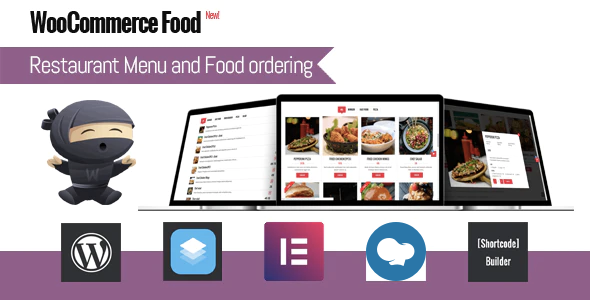
If you own a restaurant, café or food service business, WooCommerce Food is a must-have plugin. Designed to make ordering menu items seamless and hassle-free, WooCommerce Food is the simplest way for your business to display food items and for your customers to order. With the intelligent WooCommerce plugin, you can use a lot of payment gateways and manage everything from showcasing your menu to receiving and processing orders all from one handy place. For your customers this means a straightforward way to place an order and the very best user experience, ensuring they’ll be back – again and again.
Demo Access:
Frontend user Dashboard: https://exthemes.net/woocommerce-food/my-account/
Admin Dashboard: https://exthemes.net/woocommerce-food/wp-admin/
Key Features
- 20+ Food Menu Styles support
- Online Food ordering and manager via pro system of WooCommerce
- Flexible Food Extra Options Customize items with multiple selection types: Select box, radio button, checkbox, textarea, text, quantity
- Global Food Extra Options – Apply additional options across all foods, specific items, or entire categories
- Min/Max Checkbox Selection Requirements
- Extra Options by Variation (Set unique options per product variation View Demo)
- Conditional Logic for Extra Options (Show/hide options dynamically based on user selections: View Demo)
- Copy/Clone Extra Options – Quickly duplicate extra options for faster setup
- Advanced Quantity Fields Enable quantity selection and limit min, max total options quantity for checkboxes and radio buttons (View Demo)
- Custom Option Images: – Add images for checkbox and radio button selections View Demo
- Min/Max Quantity Settings – Set minimum and maximum quantities for each food item or variation View Demo
- Menu by date – Create menu based on specific dates or date & time ranges: View Demo
- Fully Responsive & Mobile-Friendly – Optimized for seamless use across devices
- Flexible Menu Display – Show menus anywhere using shortcodes
- Multi-Column Support – Display food items in 2, 3, 4, or 5 columns
- Multiple Display Layouts – Choose from Grid, List, Table, or Carousel (Slider View)
- Easy Admin Management – Effortlessly create food items and manage orders via WooCommerce
- Multiple Ordering Methods – Offer Delivery, Pickup, or Dine-In options
- Food Details Modal ( Choose between Default and Modern)
- Shipping Radius Restriction: Limit delivery areas using Google Maps API
- Custom Shipping Zone – Draw shipping zones instead of restricting by kilometers via add-on
- Postal Code-Based Shipping: Set shipping limits based on postal/zip codes instead of a radius
- Advanced Delivery Fees, Configure delivery fees based on distance, postal codes, or time slots
- Free Shipping Threshold – Set a minimum order amount for free shipping eligibility
- Upsell Recommendations – Show suggested items after adding a product to the cart View Demo
- Tip/Donation – Allow customers to add a tip or donation at checkout
- Automated Order Notifications – Send confirmation emails to admins and customers
- Location-Based Food Menus - Set different menu items for each store location
- Order Method-Based Menus – Customize menus based on Delivery, Takeaway, or Dine-In orders
- Advanced Opening & Closing Times – Define store hours (or date range) globally or for specific locations
- Opening & Closing Time Info Show details in a popup or table view
- Enable/Disable Locations for Order Methods – Restrict locations per order type
- Custom Shipping Fees – Configure shipping costs for each location
- Minimum Order Amount Per Location – Set individual thresholds for each store
- Invoice Printing – Generate order invoices for easy processing
- Location-Based Email Recipients Assign different email recipients per store location
- Dynamic Ajax Features – Filter, load more items, pagination, modal food details
- Advanced Minimum Order Settings – Set order minimums by distance, method, location
- Pricing Adjustments fee/discount – Offer Delivery, Dine-In, and Takeaway discounts or surcharges
- Payment Restrictions Per Order Method – Enable or disable payment options for Delivery, Takeaway, or Dine-In
- Order Calendar View – Display order schedules on a calendar
- iCal Export Support Export order schedules to iCal or import into Google Calendar
- Customizable Date & Time Slots
- Unique Time Slots Per Day & Location – Set different hours for specific weekdays or locations, order methods (delivery, takeaway, dine-in)
- Order Limitation Controls – Restrict the number of orders per time slot
- Pre-Order Restrictions – Prevent food orders X minutes or days before pickup/delivery
- Ajax Category Filtering – Choose between default or icon-based filters
- Smart Address Auto-Completion – Auto-fill addresses by country using Google Maps API
- Custom Food Labels & Icons – Add badges for spicy levels, allergens, etc.
- Multiple Payment Modes – Support PayPal, Stripe, and various gateways via add-ons
- Admin Order Management – Filter orders by status, location, method, or delivery time
- User Account Pages – Let customers register, log in, and view booking history
- Coupon Code System – Apply discount codes globally or by order method
- Live Notifications – Receive instant order updates via WooComemrce mobile app
- Display order date, time, and method on mobile on default WooComemrce mobile app
- Image Gallery Support – Showcase food with high-quality images
- RTL Mode Compatibility – Fully optimized for right-to-left languages
- Unlimited Color – Set colors for all or individual food items
- Customizable Food Info – Configure item globally or individually
- Unlimited customize with font, color
- WPBakery Page Builder support
- Effortless Configuration & Setup – Simple and intuitive plugin settings
- Automatic order printing and Realtime Order acceptance or rejection with Android POS Printer from our partner (enter: ExThemes10 to get 10% off for this Android POS Printer) (video demo)
- Automatically order printing with Star CloudPRNT (only work with star printer, Supported printer models are: Star TSP650II with HIX interface, Star mC-Print3, Star mC-Print2, Star TSP700II with HIX interface, Star TSP800II with HIX interface (currently limited to 80mm paper width support), Star SP700 with HIX interface)
- Automatically order printing with other printers If you don’t use star printer, you can use print node with this premium addon of WooCommerce to auto print order
- Compatible with High-Performance Order Storage – Optimized for faster order processing
- Compatible with Product Timer, you can enable food/product by date and time
- Compatible with Variations Radio Buttons, you can show variation as radio or grid view instead of select box
- Explore all features on the Demo page
The demo images are not included in the purchase package.
All features on the demo page do not require any paid extra add-ons.
VER 2.9 NEW! ORDER CALENDAR
Support PDF Invoice
Some customer’s sites
https://papsolysh.nc/commande-en-ligne/
https://pominki-moscow.ru/menyu/
https://thecurryculture.sg/store/
https://thecurryculture.sg/store/
https://restaurant-fuchsrain.de/
https://www.beyzaderestaurant.nl/eten-bestellen/
https://harueatery.co.nz/our-menu/
https://donramonrestaurant.com/order-online/
https://shop.sushi-fujikaiten.de/
https://www.pizza-hassloch.com/
https://restaurant-fuchsrain.de/
https://www.ilbandito.nl/bestellen/
https://phodaubovietnamese.com/order-takeout-online/
https://www.cafetariahaagweg.nl/
https://carnisseriagual.com/producte-fresc-i-elaborat/
https://www.issylasie.com/commandez-en-ligne/
https://greatwhitefishchicken.com/
https://theriverroadkitchen.co.nz/takeaway-pizza/
https://www.brookfieldfarm.uk/
https://don-beni-restaurant.co.uk
https://www.eurekacafe.co.uk/order/


