1496 comments found.

Hi, after installing the new admin part, when I access the login page “http: // localhost / product / public / admin / login” I have this error “404 not found, http: // localhost / js /app.js “ can you sea the error in this picture https://files.fm/u/frpemurbj#/view/hqcpx4942 . thank you.
Hi can you help me please
Hi, you have setup project in subfolder and in browser you have called http link with subfolder including. Laravel project resources like js/css are not working properly with subfolder and you need to edit path accordingly.
You can run laravel project with “php arisan serve” command.
thanks very much
how to resolve this problem: The GET method is not supported for this route. Supported methods: POST.
Please mention route name.
Hello i have a bug: CREATE OR REPLACE VIEW `top_selling_products` View’s SELECT contains a subquery in the FROM clause
Please share the video of the issue that you are facing. if the issue will be related to source code we will definitely provide assistance in that matter and resolve that issue in the coming update of our item. Thanks
Hi, after installing the new admin part, when I access the login page “http: // localhost / product / public / admin / login” I have this error “404 not found, http: // localhost / js /app.js “
Yes, for website settings you will have to purchase the following item then it will be visible in the CMS. The same scenario goes for the Front end access.
i need just the admin panel and app mobile, i have the licence but the new version not working
Please share the issue that you are facing. We will investigate this issue accordingly. You can share the video of the issue. Thanks
Hi after instalation of admin panal i have this error , can you help me please . this is the pecture of error => https://files.fm/u/frpemurbj#/view/hqcpx4942
Hi, I logged in the laravel admin app with super admin role but I can’t find the website setting from the left-side menu. May I ask you where can I find this?
Please share the screenshot as the settings should be visible by logging in as an admin and owner.
Yes, for website settings you will have to purchase the following item then it will be visible in the CMS.
Okay, I see. I misunderstood. I thought that website setting requires for customising ionic app.
Hi, do you have any helpful documents how to test a API using tool like a Insomnia? API from Ionic App works well but I want a little to customise laravel source. but I don’t know how to set the secured key inside the header???
This is the URL for item documentation :
- https://themes-coder.com/product/ionic-ecommerce/
But you will not find any third party software explanation in this.
Thanks. as you know, this link doesn’t helpful to me. Would it possible to get it from the email?
can you please let me know how to send a ticket? I tried it from your helpdesk but the your online form has some problem. I really want to know how to API test using tool(Postman or Insomnia). Currently, the following error happen. ” “status”: “Error”, “message”: “Unauthorized, please login to get access to specfied route!”)
You can open ticket from this url
http://support.themes-coder.com/For postman collection, we have postman collection but it is not updated. We have planned to update it and release it, once we have finished feature development. Thanks.
Hi, can you please let me know how to set the API key(clientdstring, clientSecretString) in Ionic source file(config.service.ts) from the latest source?
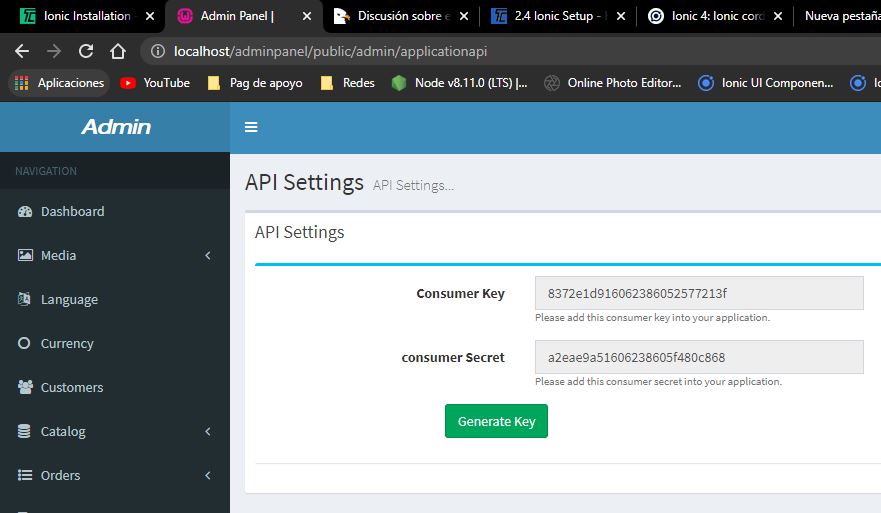
These are the default Consumer Secret and Secret key that you need to place in the application. Your application will be connected to the CMS.
public clientIdString: string = “1234” public clientSecretString: string = “sk_1234”
Hi, I purchased the licensed. I couldn’t find API Key. I refer to the following but where is the API zip file and Merger project from admin menu.
- You need to import API.zip into your Code Manager Settings -> Merge Project. - Upload the Api.zip along with your Purchase code. - Your application settings will be visible. - You can get Application API key from Application settings.
You dont need to merge the api.zip into your Code Manager Settings. You just need to install the source code on your Main root path and compile the application source code. No need to merge the files as we have remove this from our installation wizard.
We will update our documentations soon.
Oh. understand it. Thanks.
I also have version issue to setup the Ionic. I am trying to setup your latest APP source(11.Oct) and I wonder if it works with the latest Node(node js 16.10.) and Angular CLI. I read your guide(https://support.themes-coder.com/help-center/articles/24/37/57/2-4-ionic-setup) but this version is out of date so I want to check it with yours.
Node Version: v8.9.0 Ionic CLI Version: 3.2.0 Cordova CLI: 8.0.0 Ioic Framwork Version: 3.9.2For your reference, this is an error log when I tried to setup the latest node version and.
[error] Error: ENOENT: no such file or directory, lstat ‘C:\ion\app\src\theme’ at Object.realpathSync (node:fs:2486:7) at resolveGlobalStyles (C:\ion\app\node_modules\@angular-devkit\build-angular\src\webpack\configs\styles.js:34:31) at Object.getStylesConfig (C:\ion\app\node_modules\@angular-devkit\build-angular\src\webpack\configs\styles.js:67:70) at C:\ion\app\node_modules\@angular-devkit\build-angular\src\dev-server\index.js:132:23 at generateWebpackConfig (C:\ion\app\node_modules\@angular-devkit\build-angular\src\utils\webpack-browser-config.js:40:49) at processTicksAndRejections (node:internal/process/task_queues:96:5) at async generateBrowserWebpackConfigFromContext (C:\ion\app\node_modules\@angular-devkit\build-angular\src\utils\webpack-browser-config.js:97:20) at async Object.generateI18nBrowserWebpackConfigFromContext (C:\ion\app\node_modules\@angular-devkit\build-angular\src\utils\webpack-browser-config.js:47:20) at async setup (C:\ion\app\node_modules\@angular-devkit\build-angular\src\dev-server\index.js:128:47)
I fixed the above request.
please i need help this is request from apple : ITMS-90809: Deprecated API Usage – New apps that use UIWebView are no longer accepted. Instead, use WKWebView for improved security and reliability. Learn more (https://developer.apple.com/documentation/uikit/uiwebview).
Please confirm if you are using the latest version of the source code as this issue has been fixed in the latest update.
is not the latest version
how can i fix it , because i have many change in the code . thanks
Please download the latest version of the source code we have to update the UI and Back end of the CMS. Our previous source code is discontinued. As per Envato policies if you make changes in the source code we cannot provide support.
Hello, when I unzip the zip archive I have only 2 archives : AppSourceCodeIonic & SourceCodeLaravel. When I install laravel with the wizard, at the end I have only the purchase code field. There is no field for the creation of admin login. When I upload the examples to Dropbox, the tables in the SQL file do not match at all with those created by the wizard. Thanks for your feedback
Yes, it’s new update with new database structure and new source code for laravel and ionic mobile application, please check changelog. Old demo contents sql will not work with this update. Thanks.
I must buy a new version ?
No, just download it again. We are going to release another update, you can download fresh code on Monday. Thanks.
thanks best regards
please upgrade to android api 30, it is currently api 29 & playstore required minimum level 30. and i am unable to upgrade to api30.
hi am trying to aupload the api.zip from Code Manager – Merge Project but it keeps telling me “Your purchase code does not match to the uploaded Zip file source code!”
Please create a ticket at our help center and provide the evidence there along with the credentials.
- https://support.themes-coder.com/help-center
If you have already created a ticket then please mention the ticket ID.
I am not able to commit app on IOS beause of some depricated library, what should i do?
Please share the video of the error that you are facing if the issue will be related to source code we will provide assistance in that matter.
does your application support plugin digits and visual composer? my product page created with visual composer and user account login with digits
This item is not built for WordPress. Please check item description.
This item is for Our Laravel Website. This application will work for our website. Thanks
Hello, when comes big update ?, you write 2021/08/13 but it’s seem an old version. best regards
Next Update will be released in the coming as the source code is not approved yet from QA department. You will be notified once the new update will be released.
Hi Team, How to setup this in my local machine. Please guide us.
Please follow the item documentation we have explained the installation process.
- https://themes-coder.com/help-center/ionic-ecoomerce-ionic-installation/
Thank team but I am looking for web installation as i am a PHP beginner. I gone through https://themes-coder.com/help-center/ionic-ecommerce-laravel-setup/ but I couldn’t make it
If you are facing any issue in the installation process please create a ticket at our help center and mention the issue there. If the issue will be related to the source code we will provide you assistance accordingly. Although this item is not supported as per Envato policies. But we will still provide assistance.
What is the right link to create the ticket. I couldn’t find any link In above policy. Please help us to run the web version in local as i am new to the laravel framework
Looking for ticket link
You can create the ticket at this URL :
Hello, I want to purchase ionic5 (android & ios both), admin panel as well as front end website. What should I purchase, give me link or links that required to build full mobile, web & admin.
You need to buy our two items.
https://codecanyon.net/item/laravel-ecommerce-universal-ecommercestore-full-website-with-themes-and-advanced-cmsadmin-panel/22334657 https://codecanyon.net/item/ionic-ecommerce-universal-ios-android-ecommerce-store-mobile-app-with-laravel-cms/20757378Both items uses same single CMS and database. Thanks.
Nice
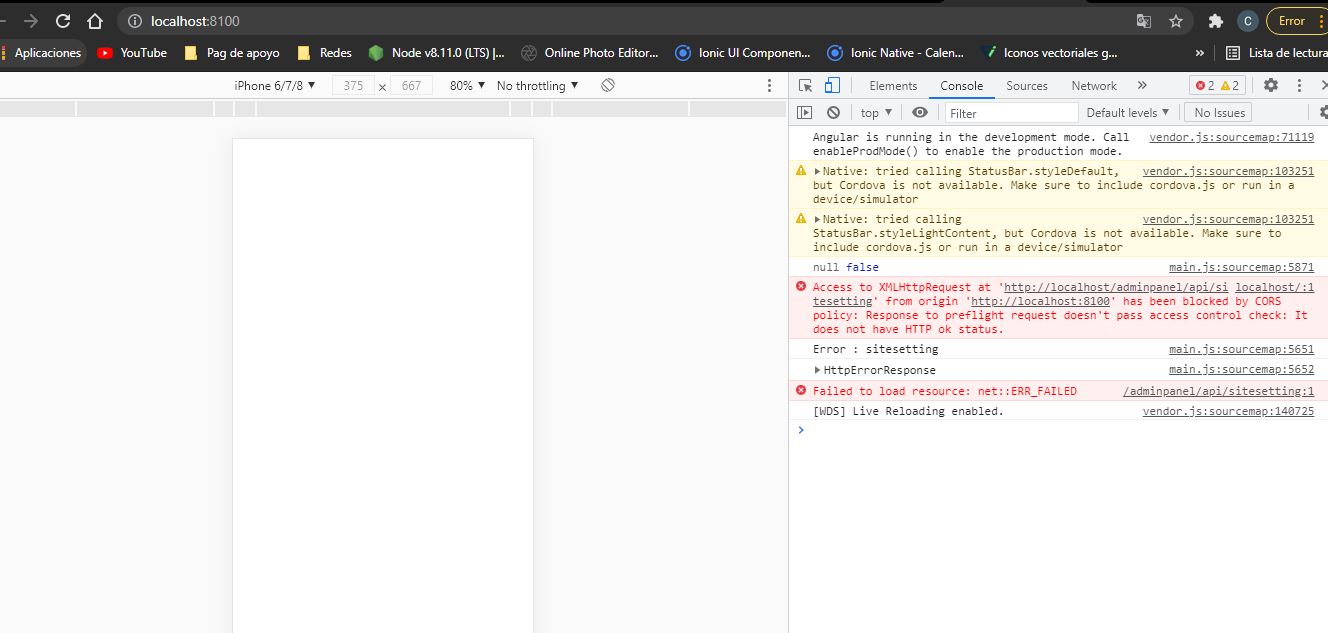
The app appears blank in the browser, how or where can I find the path to the url of the api to test the connection? Thanks V. 1.0.22
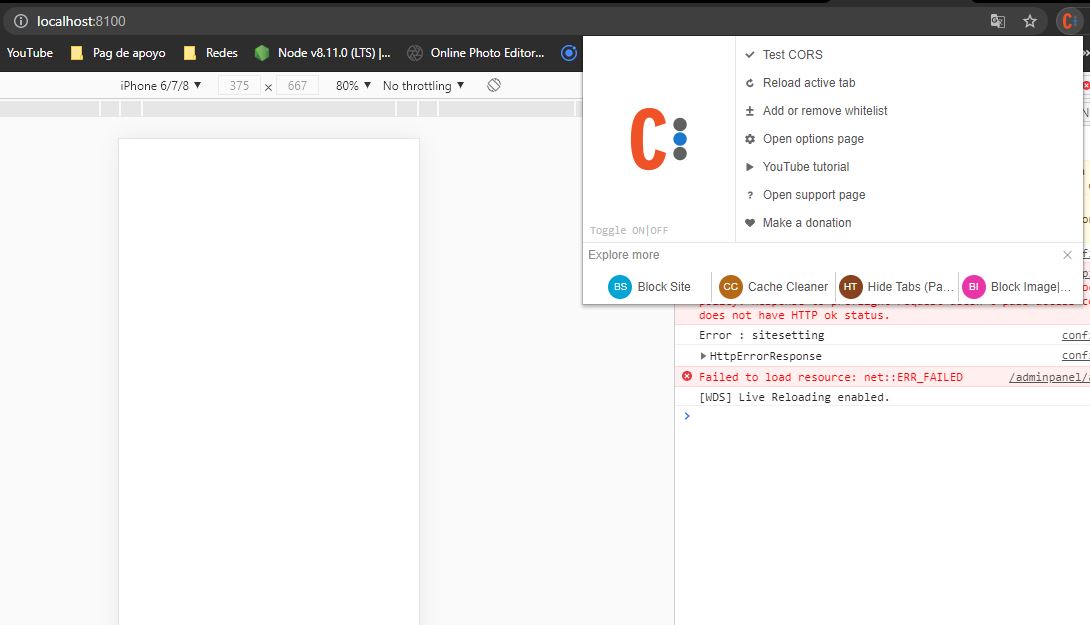
https://firebasestorage.googleapis.com/v0/b/cosmeticos-49135.appspot.com/o/1.JPG?alt=media&token=4ab88f98-3e1a-4e66-9ea6-30d2fb787a9bI have Cors installed
https://firebasestorage.googleapis.com/v0/b/cosmeticos-49135.appspot.com/o/2.JPG?alt=media&token=b662c7e1-3bf1-4c0d-9dd0-caa0f1b3ea7aAdmin panel is installed on Wamp Server
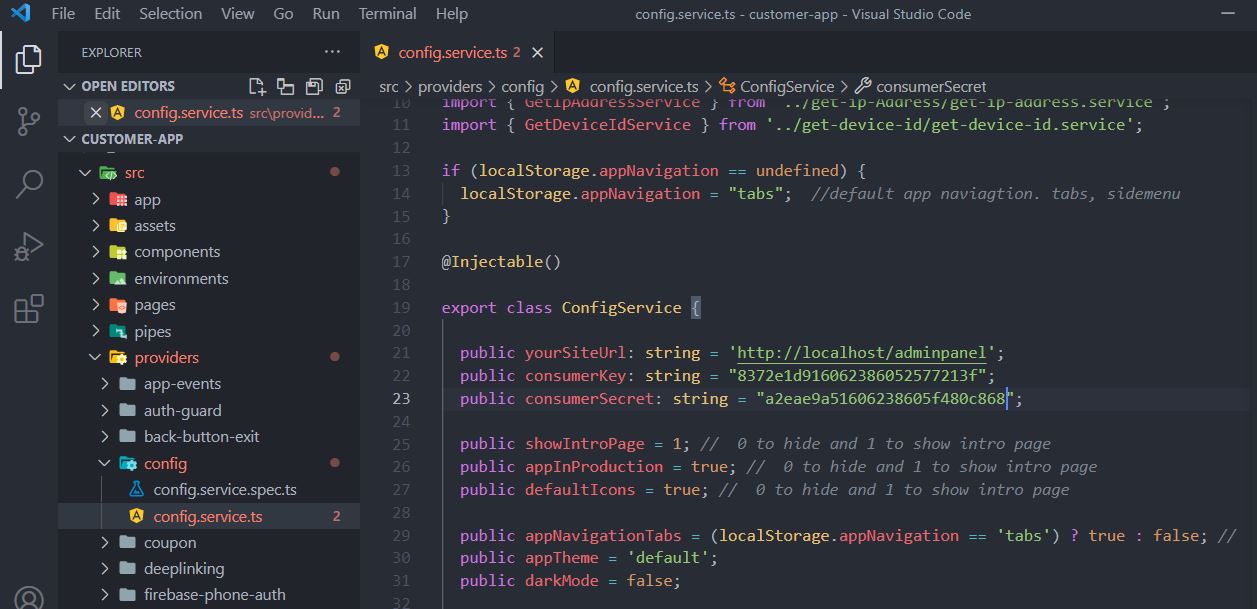
https://firebasestorage.googleapis.com/v0/b/cosmeticos-49135.appspot.com/o/6.JPG?alt=media&token=3ed0db6b-fc9e-4802-b70c-9db158c35509My file config.service.ts
https://firebasestorage.googleapis.com/v0/b/cosmeticos-49135.appspot.com/o/4.JPG?alt=media&token=6de8ca0e-4469-4ada-81fc-c35238af0c70Please create the video/screenshot of the browser console then we can provide guidance. You are running the source code localhost.
The Video of the browser console
https://firebasestorage.googleapis.com/v0/b/cosmeticos-49135.appspot.com/o/video_Problem.mp4?alt=media&token=f7a14b52-1c72-441e-8e16-6448ba4bfd2dTHE APP ERROR IS Access to XMLHttpRequest at ‘http: // localhost / adminpanel / api / sitesetting’ from origin ‘http: // localhost: 8100’ has been blocked by CORS policy: Response to preflight request doesn’t pass access control check: It does not have HTTP ok status.
Yes, I am running the application on localhost
https://firebasestorage.googleapis.com/v0/b/cosmeticos-49135.appspot.com/o/7.JPG?alt=media&token=0748d0ac-8626-472b-b453-503caea85d37Please make sure to run the application in an Actual device. You will not face any issue. Thanks
The URL is working fine. Please check again. If you are facing any issue please do let us know. Thanks
I have setup the mobile application in my machine but app doesnt loading the UI just a blank screen is coming. can you please suggest what to do
Please attach a screenshot/ video of the issue that you are facing. We will get back to you accordingly. Thanks
can you please provide me your email id where i can send you all details
You can create the video of the issue that you are facing and share the video here.
no reply coming from help centre
We do not work on weekend. We will get back to you soon please bear with us.
from where do i get the application api key as i found in help centre it must be in admin menu but i couldnt find as such option
You need to import API.zip into your Code Manager Settings -> Merge Project.
- Upload the Api.zip along with your Purchase code. - Your application settings will be visible. - You can get Application API key from Application settings.