96 comments found.

Hello there,
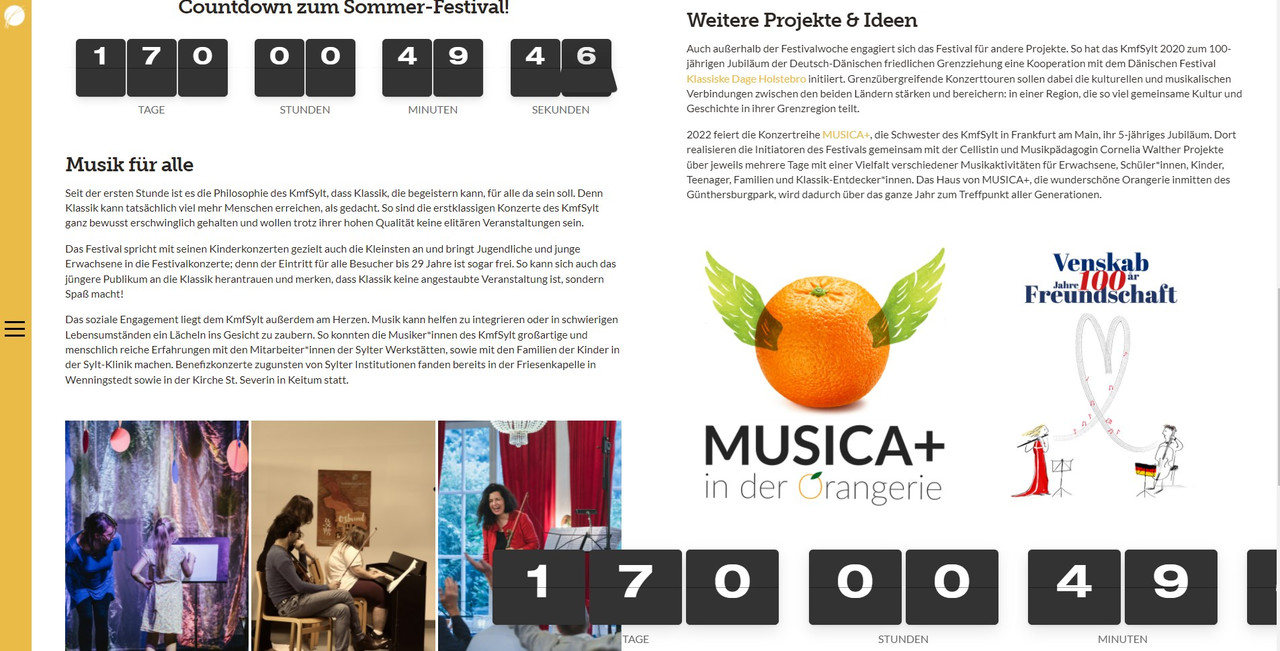
could you perhaps tell me what’s going wrong with my countdowns used over here with DIVI in two coloums, not matching the size of them and not the right height of the numbers?
Would be great to get a fingertip… I am a little bit lost :/
https://kmfs.getimba.de/kmfsylt/It seems working properly. Can you share a screenshot about the issue?
Thank you for your relay quick reply!
Here is a screenshot (1920×1080 Screen Resulution) – is it looking different on your screen?!?
https://i.postimg.cc/9fwCkM6D/Bereich.jpgYou should add following CSS by Appearance / Customize / Additional CSS:
.fliptimer ul {
    padding: 0 !important;
    list-style: none !important;
}
Because, your theme adds custom padding for timer ul (list).
AWESOME – Wow!! What a service – i am so happy, thank you AthenaStudio!
Thanks!
Hi.
I have a issue with flip timer. When I put shortcode it dosen’t resize. It is not responsive. What should I do?
It’s responsive! But, its container/column must be responsive in order to the timer resize according to screen size.
All good. Thanks 
Ok. Thanks!
Hello,
I’m not certain what may have caused this but the flip timer displayed on my site only shows the top half of the numbers – the bottom half are all white.
Any assistance would be appreciated.
Thanks
Can you write a demo url?
When did you buy it? If it’s old version, please update. Because, I can’t see some elements in your website such as “flip-updown”.
Purchased in 2019 and updated recently. It is version 1.0.0
Please, download & reinstall it!
Can you confirm if 1.0.0 is the most up to date version?
I didn’t change the version number. Timer output HTML must include “div” tag with “flip-updown” class name instead of “a” tag.
Hello, I performed a reinstall as requested and I have reviewed the plugin and what I think is the HTML you are referring to but I’m not seeing what I need to make this change. This is a bit out of my normal element and I need some help. How can I arrange your support here? Happy to pay any fees required.
You can PM me WP admin login info.
Your plugin was an old installation.
Is there any options for a sound when the countdown flips to each number?
No.
FlipTimer is not working with the Theme Flatsome and Flatsome wrote that we should contact the plugin author.
Then, you should open your with Developer Tools of the browser and check if my plugin or your theme giving error.
The issue seems to still happen on the default 2021 theme.
We copied the code from https://www.*******/wp-admin/admin.php?page=fliptimer-wp%2Ffliptimer_admin.php and it seem it needs a rest interval and time zone.
We set the interval to 10 and the timezone to GMT and still the shortcode does not work.
Please, write a demo url!
It’s not Flatsome theme or FlipTimer plugin issue. You leaved the timezone field empty. It must be zero (0) or another integer number.
I bought the “fliptimer” plug-in but it doesn’t show on the web Here below is my short code.
[fliptimer date=”2021/05/26 00:00:00” timeZone=”GMT+7” past=”true” multiColor=”true”]
Please figure this trouble out for me or suggest how to solve this. Thank you in advance.
Please, copy it like that without GMT word.
[fliptimer date="2021/05/26 00:00:00" timeZone="7" past="true" bgColor="#a60000" multiColor="true"]
The alignment of the numbers in the boxes is not in the centre for me See here: https://ibb.co/cv8PSpk
Any idea what I can do, I also added the code to an empty page and the same thing happened.
I need a working demo url. You can send it as PM from my profile.
I wrote how to fix it by email. There was a CSS style issue on your site.
interested in this plugin but once the timer ends can it then be removed automatically and a YouTube video shown? I see you have a Callback function but how does this work?
You can write external functions in it to run when the time is up.
thanks, does the plugin contain documentation on this?
There’s only a function field. And, not extra help needed. You just need to write Youtube video player start function in it.
i cant seem to get this to work properly any more. can I get some help pls? https://universalpartnership.org/30daysup/#
You should download & install latest version.
i did actually. just the other day. i will uninstall and reinstall. thanks for the quick reply. UPDATE: that didnt seem to work
You should fix other JS issues on your site which are NOT my plugin related!
eh? this is super unhelpful. everything works on my site except for this.
I sent screenshot! IT WORKS! What should I do more?
Uncaught ReferenceError: react is not defined <anonymous> https://universalpartnership.org/wp-content/plugins/typeform/dist/typeform-elements.js:215 typeform-elements.js
It’s your theme or other plugin related issue!
Open Developer Tools and check your site before telling that your item not working!
I opened your site on Firefox, Chrome and Edge and my plugin works.
2 questions. 1. I want a recurring timer that counts from 5 minutes down to zero and starts again. What settings do I have to use. 2. I want a smaller version of the the timer. It is so big. How to change the size of the timer?
Please, buy it! There’s recurring time option on the latest version. Timer fits on the container. So, you can put it on a smaller layer.
Hi,
I just bought your product, and installed to my site. I’ve tested it, and generate the code. I put the code on my post, but no counter appear. What should I do?
I just put this code [fliptimer date=”2021/02/02 00:00:00”] on my post, did I do anything wrong?
If you write a demo url, I can check it out. Or, you can open your browser’s Developer Tools to see which causing issue.
I think my theme might not works with jQuery. If that, do you have any code to recommend to make my theme compatible with your plugin.
WP adds jQuery as default. You should check if a code in your theme disabled it.
how? please tell
You don’t need to do something to add jquery JS to your site as general.
But if nothing, open functions.php pr pther file where JS files included to theme like wp_enqueue_script
Add ‘jquery’ to the 1st of them:
wp_enqueue_script( 'bootstrap', get_template_directory_uri( ) . '/layout/plugins/bootstrap/js/bootstrap.min.js', array( 'jquery' ), false, true );
I put it on, but didn’t work. Here is my theme … https://www.theme-junkie.com/themes/biancaa/. Please take a look, and tell me how can I use your plugin with this theme.
WP adds jQuery generally. You should contact your theme author.
Hi! I like your plugin “Fliptimer” and installed it in my theme “Uncode”. But everything is running wrong (Digits too small, Flips to big etc.). I saw in the comments, there was already a solution for a customer with “Uncode”. You told him, to fix something in line 310 – but your code isnt lined! Could you please mail me a solution for Uncode? Thank you!
Can you write a demo url?
Please, add the following style by Appearance / Customize / Additional CSS:
.fliptimer ul li {
    font-size:100%;
}
I’ll send an update about it soon.
Ah cool – it works! Thank you for this super-express-service!!!
Thanks! I’ll be so happy if you rate my item via Downloads.
Hey, what is the latest version of your plugin? Its not working after the latest wordpress update to 5.6 …
It is tested and works on WP 5.6. You should check if your theme works with jQuery 3.5.1. Because, WP started to use it.
Hola, e instalado el pluggin en mi tema pero no sale, por un momento salió pero cuando empecé a configurarlo desapareció, tendrán algún tutorial ?
You just need to install and create shortcode.
The timer doesn’t work after updating WordPress 5.6. Please update the plugin.
Please, buy and download the latest version!
Hi, I purchased the plugin to use as a timer, to count upwards, but i can’t change the direction of the count. Can you please help? The numbers always go down to the specified date.
You should enable PAST and the date should be a past date.
The plugin seems not to work if the future date set is > 99 days.
You should set “Day Text Number” as “auto” if you use it for 3 digits.
Hi, I need a Countdown from a regular incoming events from google calendar. for example. Next class Countdown until Monday at 17:30. at this time auto reset for the next class in calendar : Wednesday at 17:30…. and so… its posible with this plugin? thanks!
You can reset the timer. But, you should change the start date manually.
ops! ... thanks for your attention. but do you know a way to make it automatically?
You can write a JS code to make it automatic. But, if you don’t know coding, it’ll be hard to do.
hahaha you’re right. Thanks again.
Ok.
I have purchased the flip timer jquery plugin and it has failed to install on my WordPress site. Error:
Installing plugin from uploaded file: codecanyon-KYlNY5ij-fliptimer-jquery-countdown-timer-wordpress-plugin.zip Unpacking the package…
Installing the plugin…
The package could not be installed. No valid plugins were found.
Plugin installation failed.
Please could you let me know what the possible causes of this could be or issue me with a refund. Thanks Mel
You should unzip the main ZIP file and install fliptimer-wp.zip
Trying to resize the timer in a widget column, but applying a width (in custom CSS) to the .flip-container just pushes the timer to the right instead of making it smaller. I also tried doing it to the .fliptimer, but same result.
Is there a different container I should be adjusting? Do I need to tweak the “display” property?
You should buy it at 1st! It resizes according to the container size.
I got it when it was an Envato Freebie.
I know you keep saying “container”, but I’m asking how that would work in the widget area, since there is no way to adjust the container without code.
You should work on your theme code.
Not sure what you mean by that.
You should have a look your theme widget area CSS style.