4868 comments found.

Hello i have an issue with the front end editor, after i updated the plugin, the front end loader on visual composer plugin doesn’t dissapear, i mean, the editor loads perfectly but the class #vc_preloader that is above the whole screen never goes away so i can’t edit anything, and only when i deactivate the ultimate addons plugin it works fine, i only manage to make it work adding the display: none css directly to the class but it would be great if you can fix it on a future update?, thanks!
Hello,
Could you please open a ticket through our support center and share a couple of screenshots or a video showing us what is happening so that we can help you better?
Regards,
Elvina
sure, ill upload some screenshots
Great!
We’d love to help you get things sorted soon. 
Regards,
Elvina
Hi when will the bug be fixed to make the plug-in work without the jquery plugin ?
Hello,
Could you please open a ticket through our support center and share a couple of screenshots or a video showing us what is happening so that we can help you better?
Regards,
Elvina
Any chance I can get it working on https://webonet.ca/ ?
Hello,
Thank you for getting in touch!
I’d like to inform you that the Ultimate Addons for WPBakery Page Builder is an addon built for the WPBakery Page Builder.
So, you can use it on any WordPress website that uses this page builder on it.
Feel free to let us know if you have any further questions.
Regards,
Elvina
I have purchased a license for this a couple years back. That website has ceased to exist. I have tried the plugin on another website of mine, but it is telling me the license is valid on another website. I no longer have access to this. How do I remove the license from that website and transfer it onto my new one? Thank you
Hello,
Thank you for getting in touch!
I’d like to inform you that all the products on the Envato marketplace come with a single website lifetime license. Which means that you can activate the license on a single WordPress website only.
However, in case you aren’t using the license on the previous domain, please open a ticket at our support center and share the following information so that we can help.
- Old website URL
- New website URL
- License Key
Looking forward to hearing from you.
Regards,
Elvina
Hello,
I have shared 2 php files to email id support@bsf.io
Please update them into plugin and it will solve yoast seo conflict issue. I already shared details in previous emails as well.
You can check more here: https://github.com/Yoast/wordpress-seo/issues/15901#issuecomment-771535262 https://github.com/Yoast/wordpress-seo/issues/15901#issuecomment-771570663Regards, Rishi Mehta
Hello,
Can you please share your ticket ID so that I can take a closer look and help?
Regards,
Elvina
Ticket Id: 490791
You will get all details on github link i shared.
Hello,
I just looked into your ticket and found it assigned to one of our team members who has been working with you.
She’ll get back to you soon.
Regards,
Elvina
Hello,
So its been 2 week since i submitted fix for yoast seo plugin conflict issue to your support team with updated files. Can i get a deadline when it will push to codecanyon. I have multiple client using plugin and i cant tell them to disable yoast plugin to use ultimate addon. It will be better to push update and i can tell them to update them on their website.
Regards, Rishi Mehta
Hello Rishi,
I see that you’ve opened a ticket with us and we’ve already responded to you there. Please be assured that this is currently fixed with some more improvements that are in their testing phase.
You can expect an update as soon as we are sure that things work perfectly.
Regards,
Elvina
I have a client using your plugin but i’ve noticed the licence isn’t activated. When going into modules, the google maps option was able to be turned off but not turned back on. Is this due to licencing? or another error? when you cllick the ‘on’ button it seems to start moving then stops.
Hello,
Sorry to hear that.
I am sorry but I don’t see a purchased tag across your name. Looks like you’ve got the Ultimate Addons for WPBakery Page Builder bundled with a theme.
In such cases, you do not get a license key for activation and the neither can you get direct updates or support from us – the makers. Theme authors purchase a copy of the plugin, alter it and bundle within their theme.
Therefore, theme authors are responsible to offer support and updates for bundled plugins. Can you please get in touch with your theme author for further help?
Maybe they can look into this and help you sooner.
Regards,
Elvina
Suggestion:
To get short-code of any particular JIG grid, we have to open that grid. Instead grid short-code should be on Grid List itself to get and copy quickly.
Hello,
Thank you for contacting us!
I’d like to know whether the element you are having issues with, a part of the Ultimate Addons?
Just FYI, the JIG grid and Grid List elements are not a part of the Ultimate Addons for WPBakery Page Builder. We are the authors/developers of the Ultimate Addons, which extends the WPBakery Page Builder. However, we do not control the core WPBakery Page Builder functionalities or elements.
Kindly contact the authors of the respective plugin who can help you with this!
Regards,
Elvina
Hello Elvina, I am extremely sorry. Actually this suggestion was for developer of JIG plugin but I posted here by mistake. Perhaps due to side effect corona pandemic BTW ultimate addons is an amazing plugin. I have 3 licenses of the same and will acquire more too very soon. Have a nice day ahead.
Hello,
Thank you for clarifying!
And, I am glad you are happy with the Ultimate Addons. Please feel free to get in touch if you need help with anything else.
Regards,
Elvina
Is it possible to generate whole blocks like on your demo sites? Not to build every single element from scratch? Also, there’s an Astra popup on your demo site appears on every single page and every time I want to exit a page. It’s super annoying, guys.
Hello,
Thank you for getting in touch!
Here are the answers to your questions:
1] Is it possible to generate whole blocks like on your demo sites? Not to build every single element from scratch?
=> Yes, we have the ready demo sites that you can import on your site instead of doing every element from scratch. If you are looking for them then please open a ticket at our support center.
2] Also, there’s an Astra popup on your demo site that appears on every single page and every time I want to exit a page. It’s super annoying, guys.
=> Well, let me take a closer look into this and see what can be done.
Please feel free to let us know if you have any further concerns or suggestions for us.
Regards,
Elvina
Thank you, I’ve sent you an e-mail.
Welcome!
We will get back to you.
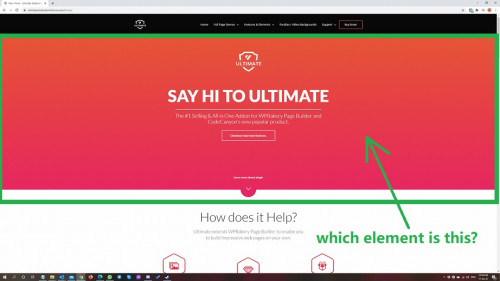
Hello,
I’d like to inform you that the element used here is the Advanced carousel with other different elements in it.
Please refer to this screenshot: https://a.cl.ly/GGu2YGPd
Let me know if you have any questions or concerns left unanswered as I would be more than happy to assist.
Regards,
Elvina
hello i purshased this plugin by error, i read wrong the name… theres any way to refund? my email is hernan@g-oncloud.com thanks
Hello,
Due to the digital nature of our products and the Envato Refund Policy, we cannot process a refund once an item has been downloaded.
But, in case you’ve not downloaded the copy, we can consider it definitely. You can apply for a refund so that we can review the case and help you further.
Regards,
Elvina
Hi, love your new Embed a Video on page function. is it possible to set the width of the video so it will fill up the width of a column? I set up a row of 2/3 for a video, I would like to see the video fit the whole column, but the youtube video shows in the middle of the page and leave a white space around the video. How can I set it to show as the full width of the column? No padding (maybe). Many thanks.
Sorry, I found the solution by setting all of the paddings to 0. Great plugin.
By the way, is it possible to set the video to play after 15 secs?
Hello,
We are really glad to know that you’ve found a solution for the column width.
Further, yes, it is possible to set the video to play after 15 secs.
Please refer to this screenshot: https://a.cl.ly/bLu0EvYG
You can add the 15 sec in the start time.
Let me know if you have any further questions.
Regards,
Elvina
Hi, With the latest macOS update (Big Sur) the browsers’ user agent changed causing a blocking error. The author should update the YTPlayer javascript code to the latest version to make it work again:
https://github.com/pupunzi/jquery.mb.YTPlayer/releases/tag/3.3.8Hello,
Could you please get in touch with us through our support center so that we can take a closer look and help you soon?
Regards,
Elvina
Hello,
The bug with video is https://ultimate.brainstormforce.com/backgrounds/, with an youtube video in background.
mb-YTPlayer.min.js:1 Uncaught TypeError: Cannot read property ‘1’ of null at getOS (mb-YTPlayer.min.js:1) at mb-YTPlayer.min.js:1
mb-YTPlayer.min.js:1 Uncaught TypeError: Cannot read property ‘msie’ of undefined at HTMLDivElement.<anonymous> (mb-YTPlayer.min.js:1) at Function.each (jquery.js:2) at n.fn.init.each (jquery.js:2) at n.fn.init.buildPlayer (mb-YTPlayer.min.js:1) at HTMLDivElement.<anonymous> (mb-YTPlayer.min.js:1) at Function.each (jquery.js:2) at n.fn.init.each (jquery.js:2) at HTMLDocument.<anonymous> (mb-YTPlayer.min.js:1) at i (jquery.js:2) at Object.fireWith [as resolveWith] (jquery.js:2) (anonymous) mb-YTPlayer.min.js:1 each jquery.js:2 each jquery.js:2 buildPlayer mb-YTPlayer.min.js:1 (anonymous) mb-YTPlayer.min.js:1 each jquery.js:2 each jquery.js:2 (anonymous) mb-YTPlayer.min.js:1 i jquery.js:2 fireWith jquery.js:2 ready jquery.js:2 J jquery.js:2
Thank you
Hello,
Could you please get in touch with us through our support center so that we can take a closer look and help you soon?
Regards,
Elvina
I’ve recently purchased your theme for WPBakery and at first it worked fine and then it suddenly stopped working. If I preview a page without Ultimate VC Addons on it, it works fine, if I preview a page with addons there, it comes up with a “403 forbidden” error. Any assistance on this matter would be greatly appreciated.
Hello,
Sorry for the delay in getting back to you.
If you haven’t yet done so, can you please open a ticket at our support center so that we can take a closer look and help?
Regards,
Elvina
I have a very important pre-sale question… I was just burned by a plug-in pack from an author who is no longer on this site (account suspended). One of the video plug-ins I was using from their pack corrupted the Contact Form 7 functionality, causing an unworkable error.
So here’s my question… although these come packaged together, are they independent from one another in terms of code? So, for example, if there’s an incompatibility with Plug-in 1 from this pack, will that affect all the other plug-ins in the pack?
Thank you!
Tom
Hello,
I am sorry but I am not really sure whether I understood your question. Can you please elaborate?
From what I understand, I would like to inform you that the Ultimate Addons for WPBakery Page Builder is a complete plugin and is compatible with all major WordPress plugins.
Please let us know if you need help with anything else.
Regards,
Elvina
Okay, let me try and be clearer. The plug in pack I had been using included several modules, like yours does. However, one of those modules was causing Contact Form 7 to error. So, I’m in a position where I need to remove the ENTIRE plug in pack, which is bad because that means I need to re-do all of my pages that used modules from that plug-in.
Does your solution allow me to ISOLATE the plug-in modules so that if there’s an issue with one not being compatible with a core WP plug in, I won’t have to remove the entire plug-in, with all of the modules?
Tom
Hello Tom,
Sorry for the delay in getting back to you.
We haven’t heard of such issues occurring and have always helped our users. Please feel free to get in touch if you need help with anything.
Regards,
Elvina
Hello, can I apply an addon for the site https://tlc-gr.com now it’s worth wp Bakery
Hello,
Thank you for getting in touch!
I am sorry, but I am not really sure whether I understood your question. Can you please elaborate?
Regards,
Elvina
Hi. Im using the expandable feature. It works perfectly but i want to know if i can use icons instead of text to initiate the action. I want to have 2 different “icons” showing when its expanded and not expanded.
Thanks!
Nevermind, i figured it out.
Hello,
I am glad you did!
Please feel free to get in touch if you need help with anything else.
Regards,
Elvina
Hello, we’re having some serious SQL database issues so im rebuilding our staging site. I bought your plugin as part of “The7” wordpress theme (great plugin by the way!). So its called “The7 Ultimate Addons for Visual Composer”. Could you please advise if 3.19.8 is the latest version? It appears to be fine on my theme configuration pages, but under Wordpress Plugin page it is requesting I activate it. So i would like to rule out that this could be an issue? Many thanks. (I would use your support portal but I wouldnt have a purchase code, if I need to speak to the Theme devs just let me know, thank you)
Hello,
You’ve mentioned that you’ve got Ultimate Addon for WPBakery Page Builder with your theme i.e. The 7 theme.
Just to give you a better understanding, generally, the theme author buys a license of the plugin which allows them to bundle it with their theme. However, the theme and our plugin are totally independent products from independent developers.
As you got the plugin bundled then you need to contact your theme author for support and updates, activation. So – as for your question, I would recommend you get in touch with your theme author who can help you with this.
If you need us to look into it, I’d recommend you to purchase a licensed copy of the plugin from us.
I hope this clarifies you!
Regards,
Elvina
Thanks Elvina, I will do!
When is the Yoast / Ultimate Addons conflict being solved? I can’t set any icons anywhere anymore. Switching Yoast off is a big no-go, so when can we expect this to be solved? It’s taking way too long now…
Hello,
We did get in touch with the team at Yoast SEO and are waiting for an update from them. They said this can be worked on.
Meanwhile, there is an alternative option that might help you!
Reactivate the Yoast SEO plugin only after you set all the icons. This might help.
Looking forward to hearing from you!
Regards,
Elvina
I have your plugin in my theme. When I load a page that contains an “image separator”, that loads with a fraction of second delay, then disappears, then loads again. How can I avoid this ugly behaviour? It should load with the page and stay (or fade out if I have set it do so).
Hello,
This is strange and it’s hard to understand without looking into what is happening and what might be causing it.
I’d like to inform you that theme authors buy a single license of the plugin which allows them to bundle it with their theme. However, the theme and our plugin are totally independent products from independent developers. And, the theme author usually alters such plugins before bundling them within a theme.
So – as for your question, I would recommend you get in touch with your theme author who can help you with this. If required, the theme author can get in touch with us.
If you need us to look into it and help you directly, you will need to purchase a licensed copy of the plugin from here.
I hope you find a resolution soon.
Regards,
Elvina
...thanks, I shall ask them.
Yet, I think this might be a much easier issue, because it looks like it’s caused by the “animation repeat count” that can only be set to zero for infinity or 1+. It really looks like it tries to do it twice even if I set it to 1. (I cannot show you as it’s in maintenance mode)
I understand.
I hope you get a solution soon.
Regards,
Elvina